Remount for Mac
Your NAS drives. Always there.
Your network shares mount at login and come back by themselves after sleep, a network change or a server restart.
- Reconnects by itself
- Alerts when a drive is lost or back
- Passwords in your Keychain
- One drive free
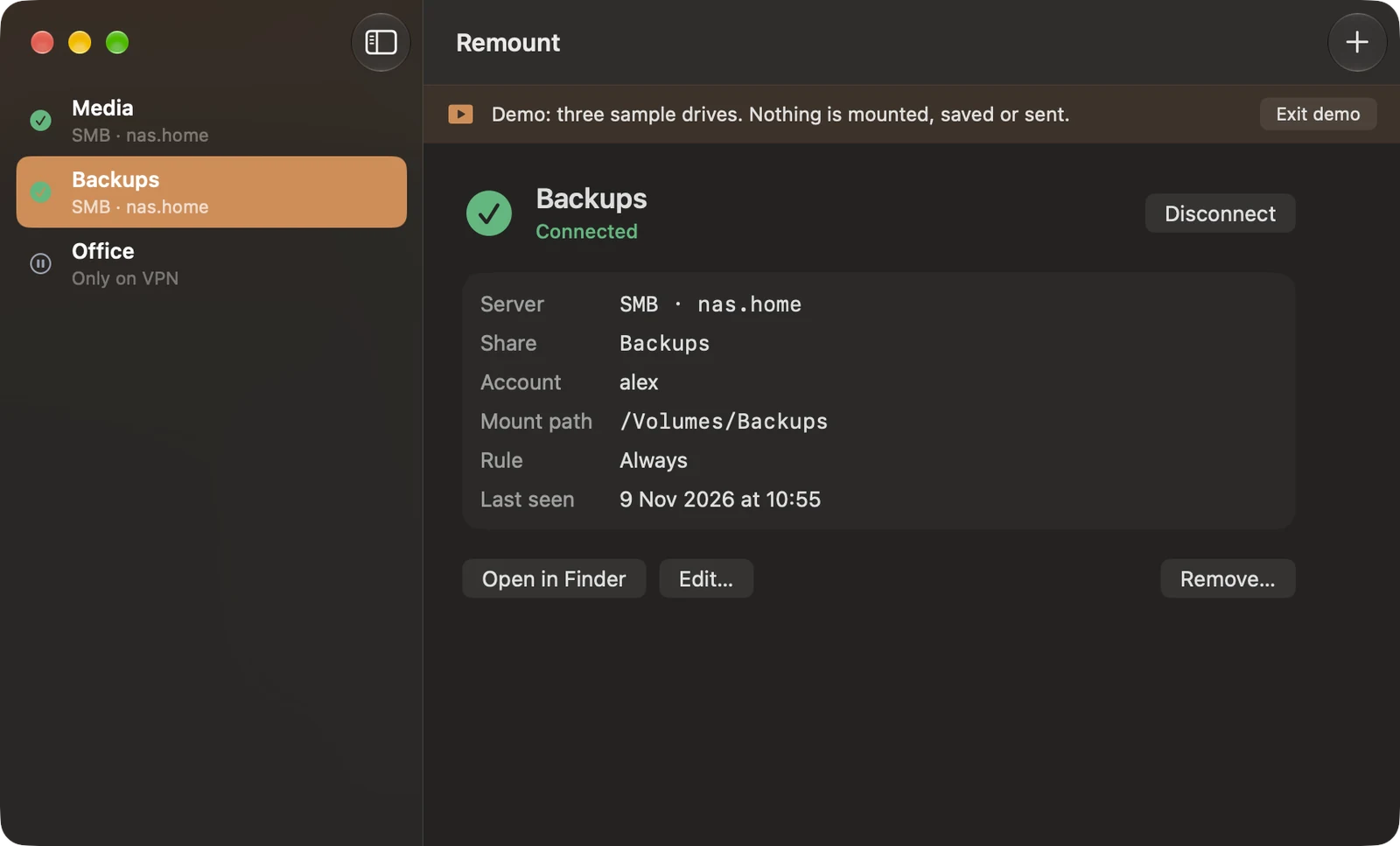
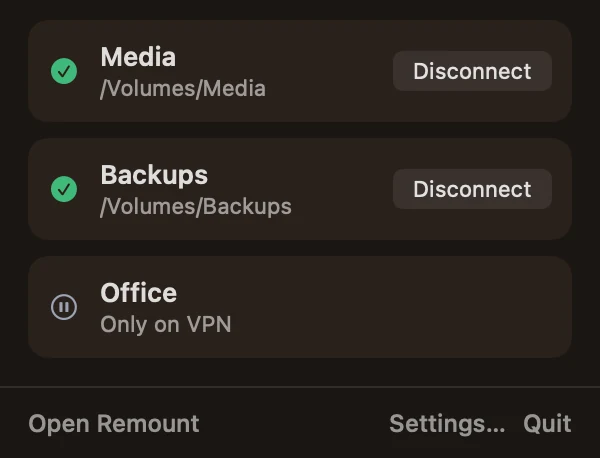
Four moments
Four moments, handled
The drive is just there.
No script to write, no login item to set up, no Finder dialog to dismiss.
At login
Your shares are mounted before you open a single app.
After sleep
Open the lid: the drives are back where you left them.
On a network change
Wi-Fi to Ethernet, home to VPN: Remount follows.
When the server comes back
NAS restarted at night? It is mounted again by morning.
Lost, then back
Lost, then back
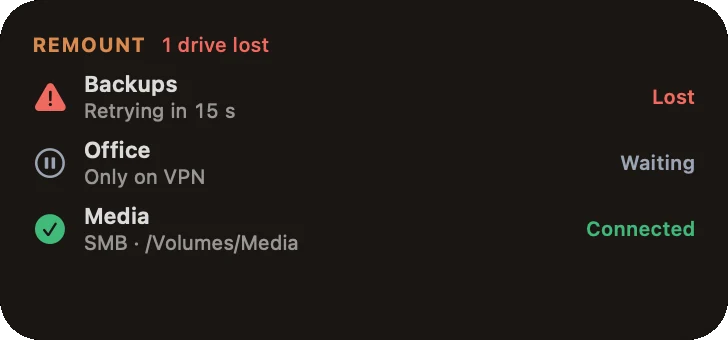
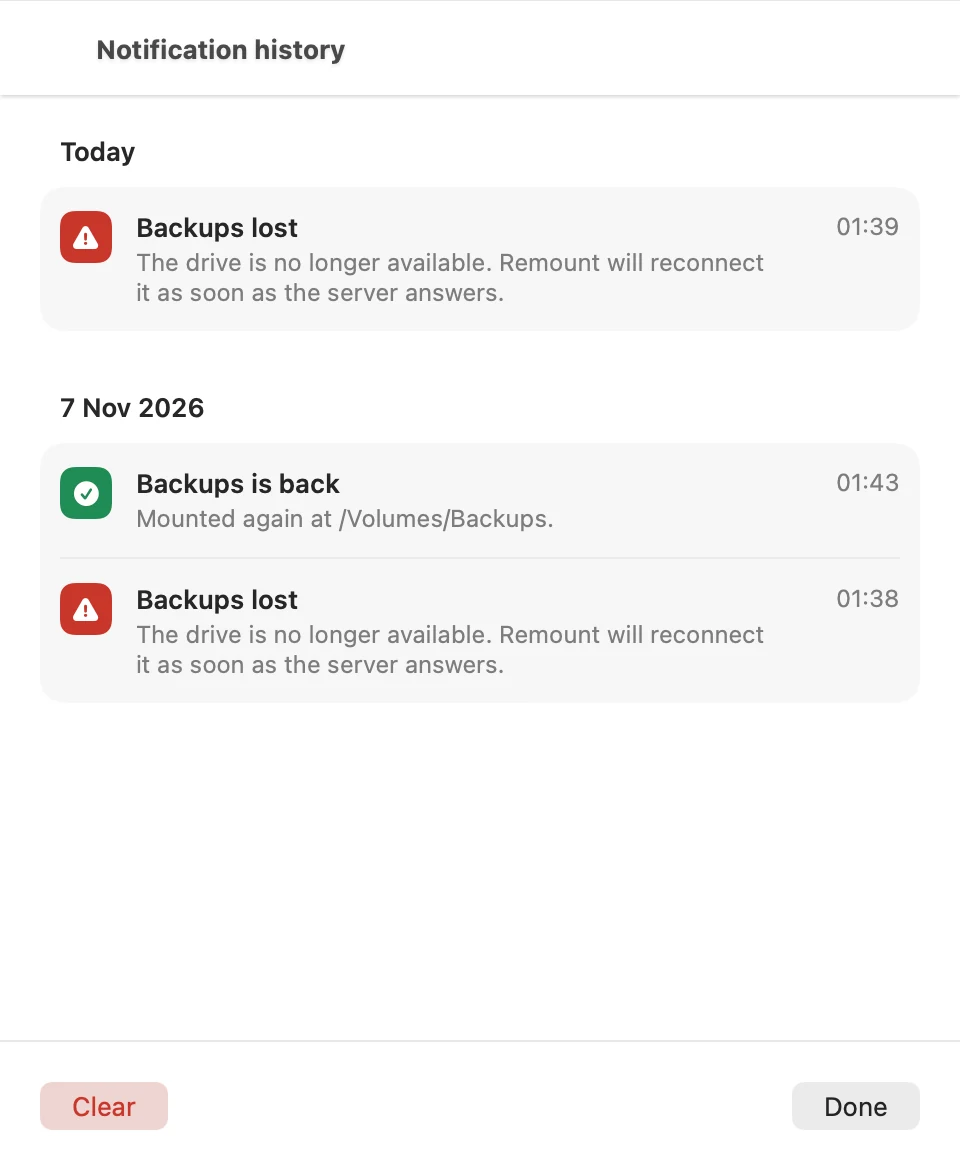
You hear it first.
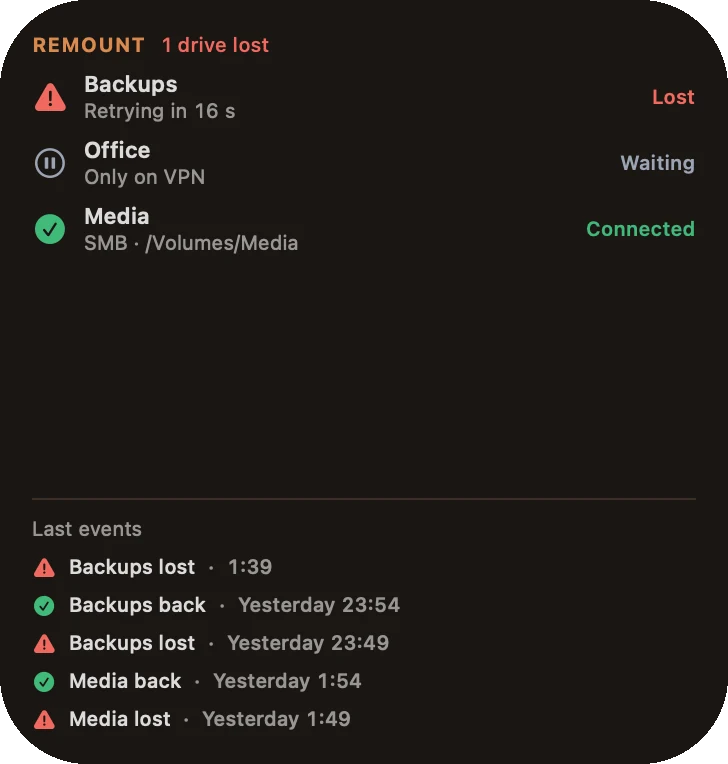
An alert when a drive drops, another when it is mounted again. Every alert stays in the notification history, with the time. Alerts are free.
- Connected
- Connecting
- Lost
- Waiting
- Off
Plain messages for each state: password refused, server offline, waiting for the VPN.
Add a drive
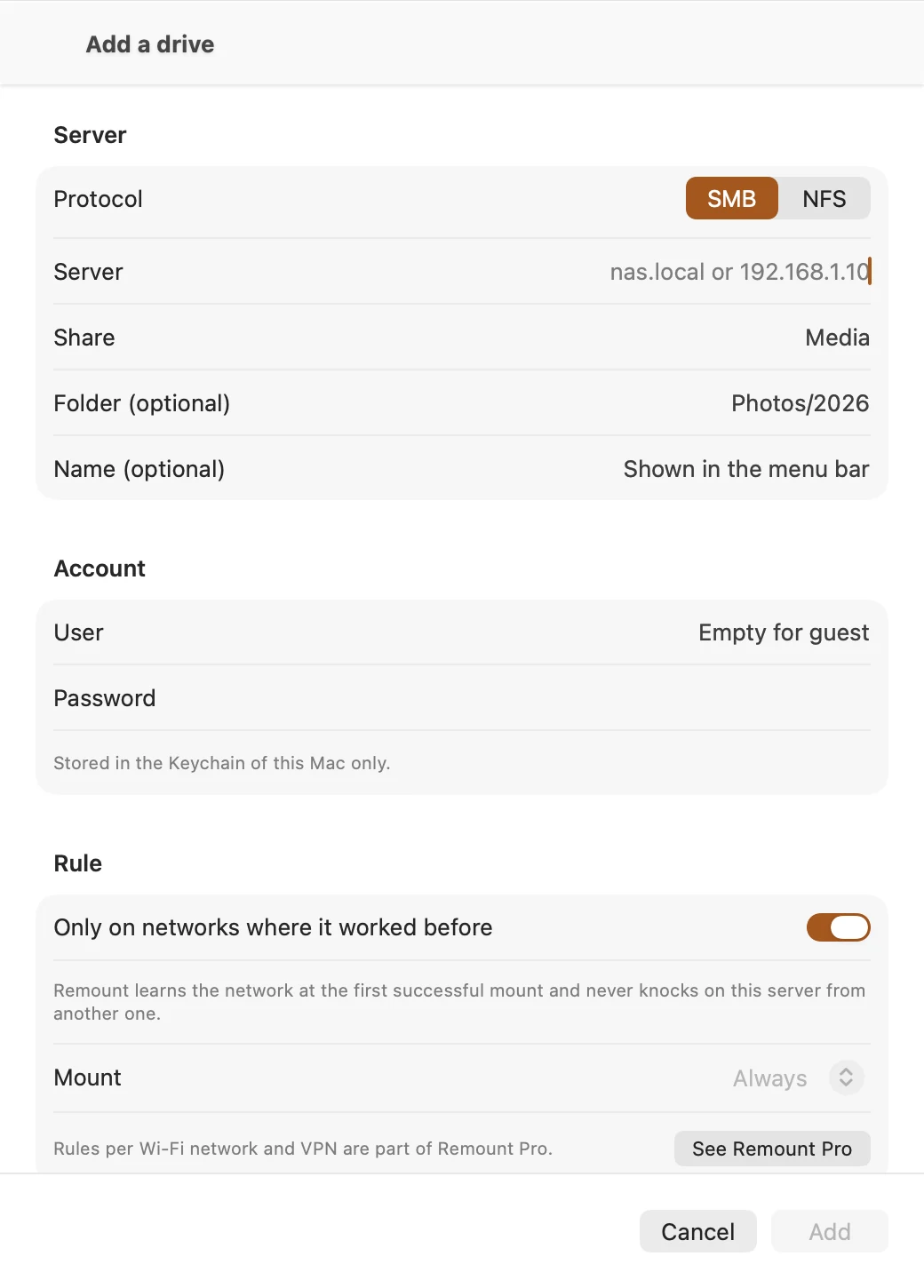
Two fields and a test
Add a drive in a minute.
Type the server and the share, then click Test connection before you save. Any SMB or NFS share: a NAS, a Windows PC, a Linux server or another Mac.
- Browse the network: the file servers around you are listed. Pick one, tick its shares, and they are added at once.
- Already mounted? The shares open on your Mac are listed: add them in one click.
- Same path every time: never mounted twice, so your media, photo and backup apps always find their files.
- Only where it belongs: a drive mounts on the networks where it worked before, never on a café's Wi-Fi.
- From the menu bar: connect or disconnect any drive without opening a window.
Free or Pro
Free or Pro
One drive does everything for free. Pro is one purchase, shared with your family. The price is the App Store's.
Free
- One drive with full auto-reconnect
- Alerts when a drive is lost or back
- Notification history
- Menu bar control
- Small widget
Remount Pro
- Every drive and server, mounted in your order
- Rules per Wi-Fi network and VPN: mount only at home, or only on the VPN
- Every widget size
Private
Your servers stay yours
Passwords stay in your Mac's Keychain. Remount talks only to your own servers and never sends a server name, a share, a user name or an address anywhere. Anonymous usage counts (the action and the country, never your data) can be switched off in Settings.
Questions
Questions
Do I need a NAS to try it?
No. Click See a demo on the first screen: three sample drives show every state, and nothing is mounted, saved or sent.
Which servers work?
Any SMB or NFS share: a NAS, a Windows PC, a Linux server or another Mac. AFP shares work on the versions of macOS that still support AFP.
Where is my password kept?
In your Mac's Keychain, one item per drive, and nowhere else. Remount never shows it and never sends it.
What happens when the server is off?
The drive shows Lost, Remount tries again on its own, and you get an alert. When the server answers, the drive is mounted at the same path and a second alert says it is back.
Which Macs and languages?
Remount is a Mac app, for macOS 14 or later. It has a Language setting (automatic by default) and an Appearance setting (system, light or dark).
Your network drives, always connected.
One drive free. Every drive with Remount Pro, one purchase, no subscription.
Available soon on the Mac App StoreRemount is a Mac app, for macOS 14 or later.
Built by Decodr.tech
We also build software for companies
Odoo development, migrations, support and native apps for Mac and iPhone.