
CM - Remote for iPhone and Mac
Your Mac, one tap away.
Put your Mac to sleep, restart it, change its volume or open an app, right from your iPhone or iPad.
Works with CM Agent, a small app installed on the Mac: download CM Agent.


Features
Your Mac in your pocket
What you would do at the keyboard, from the couch or the next room.
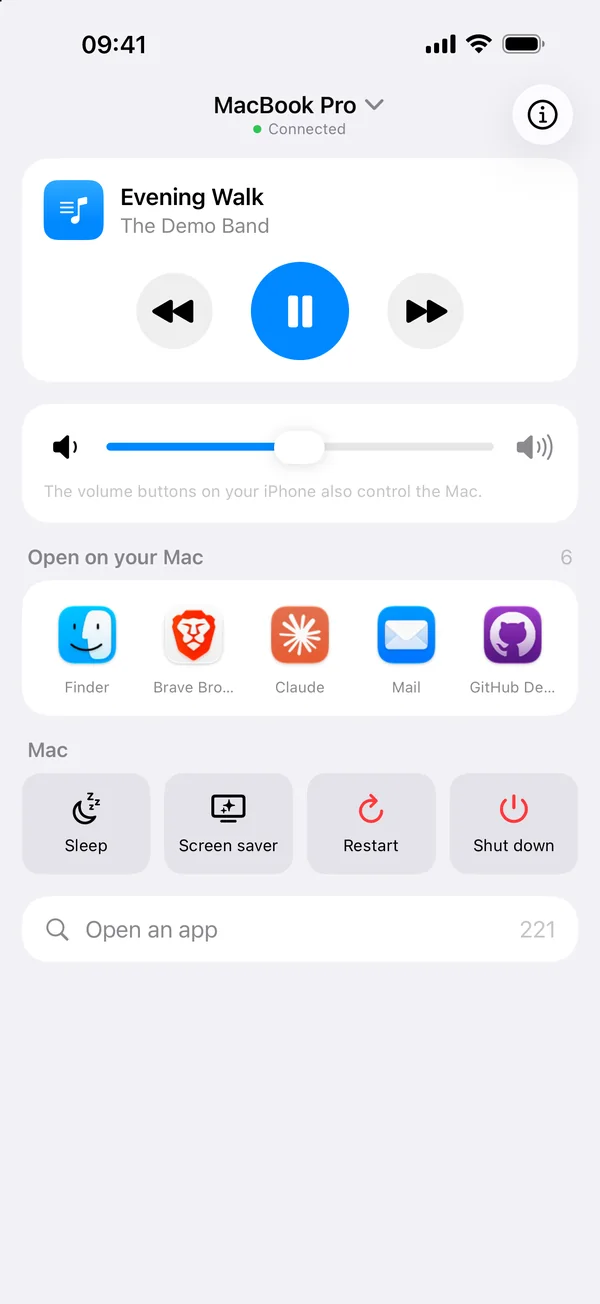
Sleep and screen saver
Put the Mac to sleep or start its screen saver in one tap.
Restart and shut down
With a confirmation first, since unsaved work in open apps may be lost.
Volume
A slider and a mute button for the volume of the Mac, also with the volume buttons of your iPhone.
Now playing
The track playing in Music or Spotify, its title and artist, to play or pause from your iPhone.
Apps
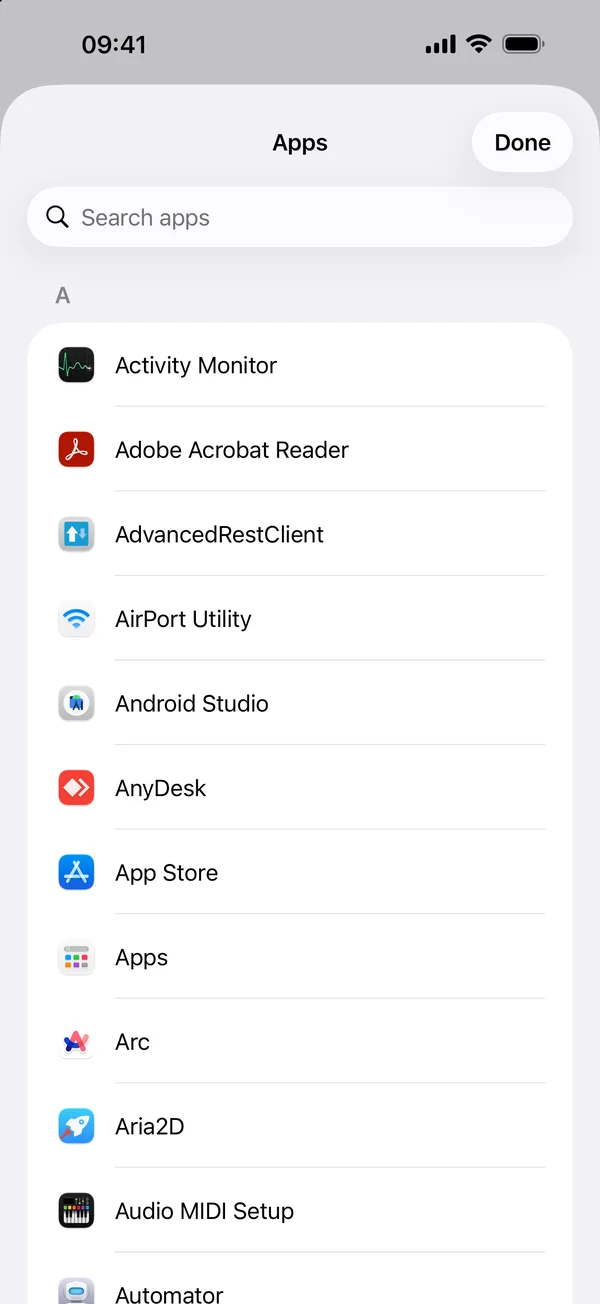
See the apps open on the Mac, quit them or put them in full screen, and search for any installed app to open it.
Your Mac at a glance
macOS version, processor, memory and storage of the Mac.
Several Macs
Pair all your Macs and switch from one to the other in one tap.
CM Agent
The Mac side
CM Agent, the other half
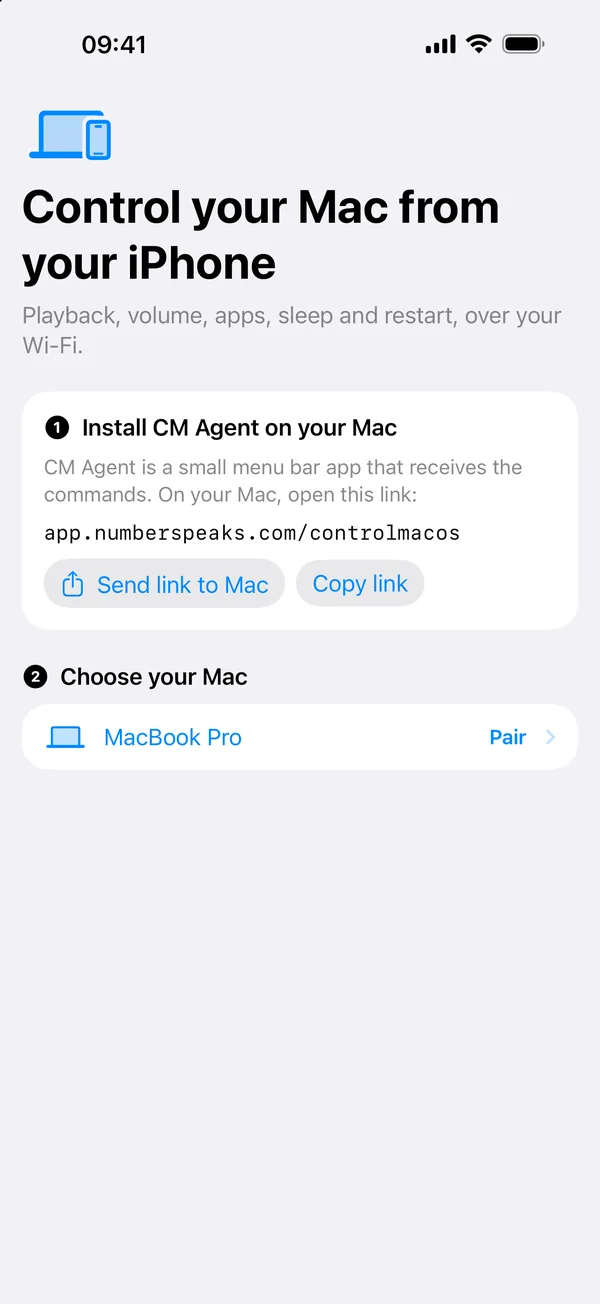
CM - Remote needs CM Agent on your Mac. This small app lives in the menu bar, receives the commands of your iPhone and runs them.
- Free
- macOS 14 or later
- Runs in the menu bar
- Download CM Agent and move it to your Applications folder.
- Open CM Agent. Its icon appears in the menu bar.
- On your iPhone, open CM - Remote and select this Mac. Check that both screens show the same code, then click Allow on the Mac.
What's next
What's new
Coming in version 2.0
In review at Apple, available soon
- One redesigned screen for playback, volume, open apps and Mac controls
- Controls whatever is playing on the Mac (YouTube, Plex, Music, Spotify...), with 10 s, 30 s and 1 min jumps in Music and Spotify
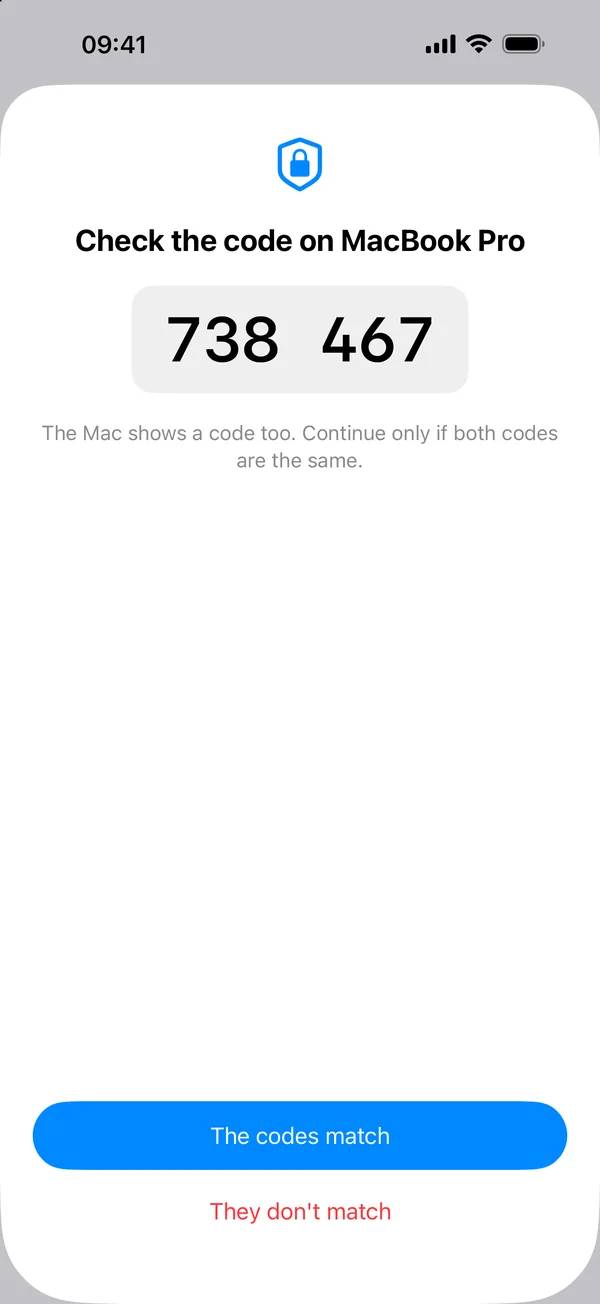
- Secure pairing with a 6 digit code and an end-to-end encrypted connection
- Several Macs, CM Agent on the Mac App Store, and a French version
Free app, with CM - Remote Pro as a one-time purchase (4.99 EUR). No subscription.
Privacy
Paired with a code, encrypted end to end
Your iPhone and your Mac pair once, with a 6 digit code shown on both screens. Then every command is encrypted and stays on your local network, and a captured command cannot be played again. No account, no analytics, no ads.
Questions
Soon
CM - Remote for iPhone and iPad and CM Agent for Mac are getting their last touches before the App Store.
Ask to be toldQuestions
What do I need?
An iPhone with CM - Remote (it also runs on iPad), and a Mac with CM Agent. CM Agent receives the commands and runs them on the Mac: download CM Agent.
How do the iPhone and the Mac find each other?
On your local network: the Mac shows up by itself in the app, then you pair it once with a 6 digit code.
Does it work away from home?
No. The iPhone and the Mac must be on the same Wi-Fi network: commands never go through the Internet.
Can someone else control my Mac?
Not without pairing: the code must match on both screens and be allowed on the Mac. Every command is then encrypted.
When will it be available?
Very soon. Write to us from the support page and we will tell you when it is out.
Built by Decodr.tech
We also build software for companies
Odoo development, migrations, support and native apps for Mac and iPhone.