
Ping Network Scanner for iPhone
Is it up? Ask your iPhone.
Ping any host, trace routes and scan your network, right from your iPhone. Everything runs on your device: no account, no server in the middle.
Free, with Ping Pro as a one-time purchase.
- No account
- Runs on your iPhone
- IPv4 and IPv6
See it at work
See it at work
Everything runs on your iPhone and talks straight to the network.
-
Live latency
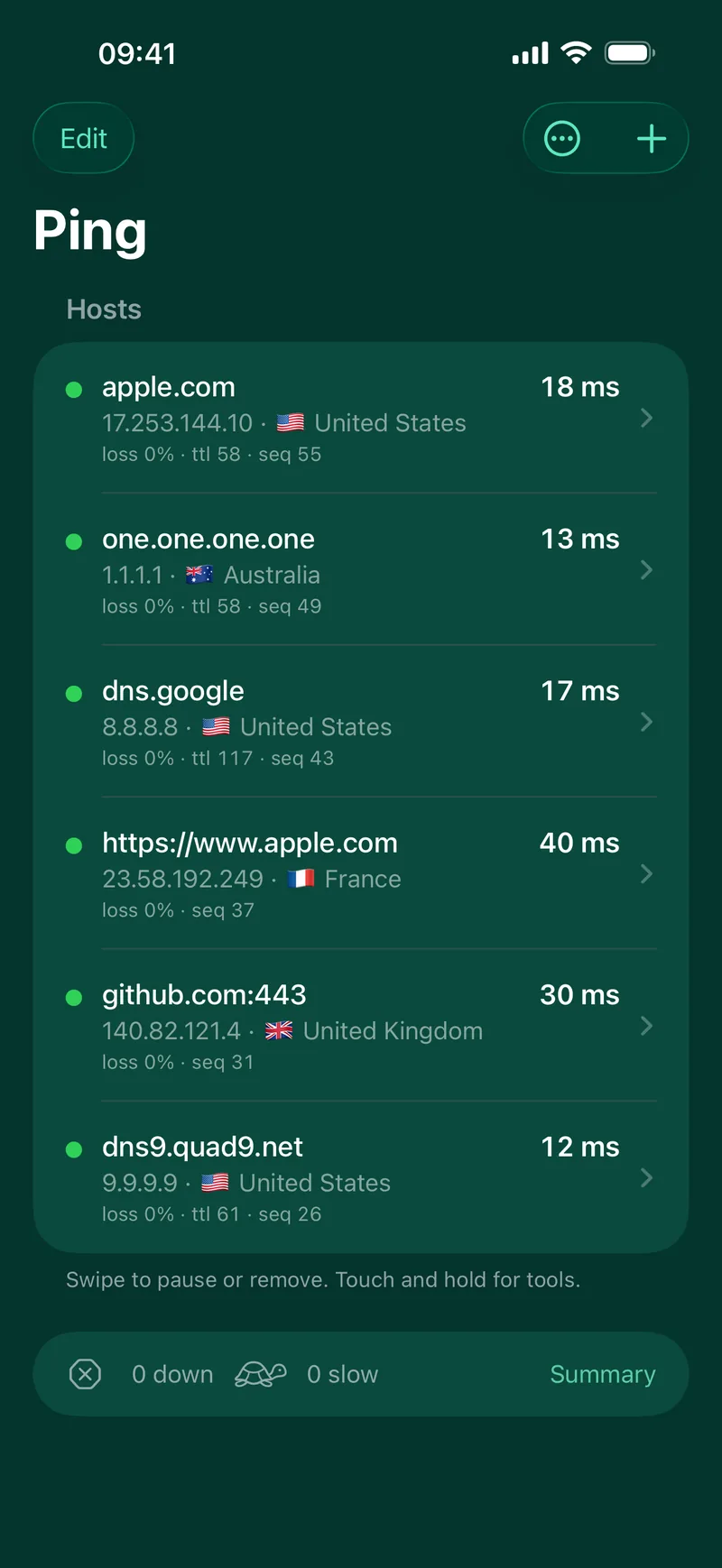
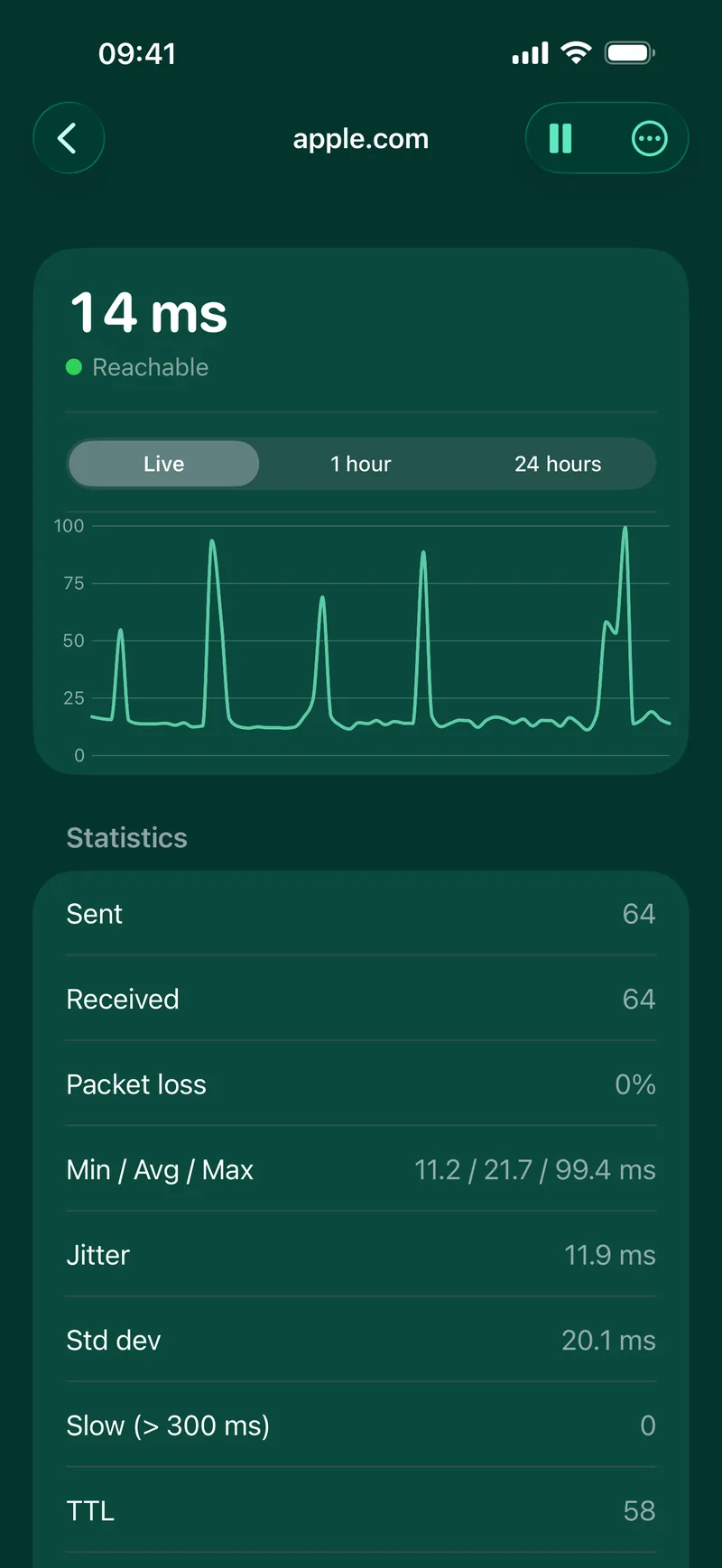
Watch every host, live
Hostnames, IPv4 and IPv6 addresses or a whole range like 192.168.1.1-20. A live latency chart with packet loss, jitter, min, average and max, and the options of the ping command.
-
Local network
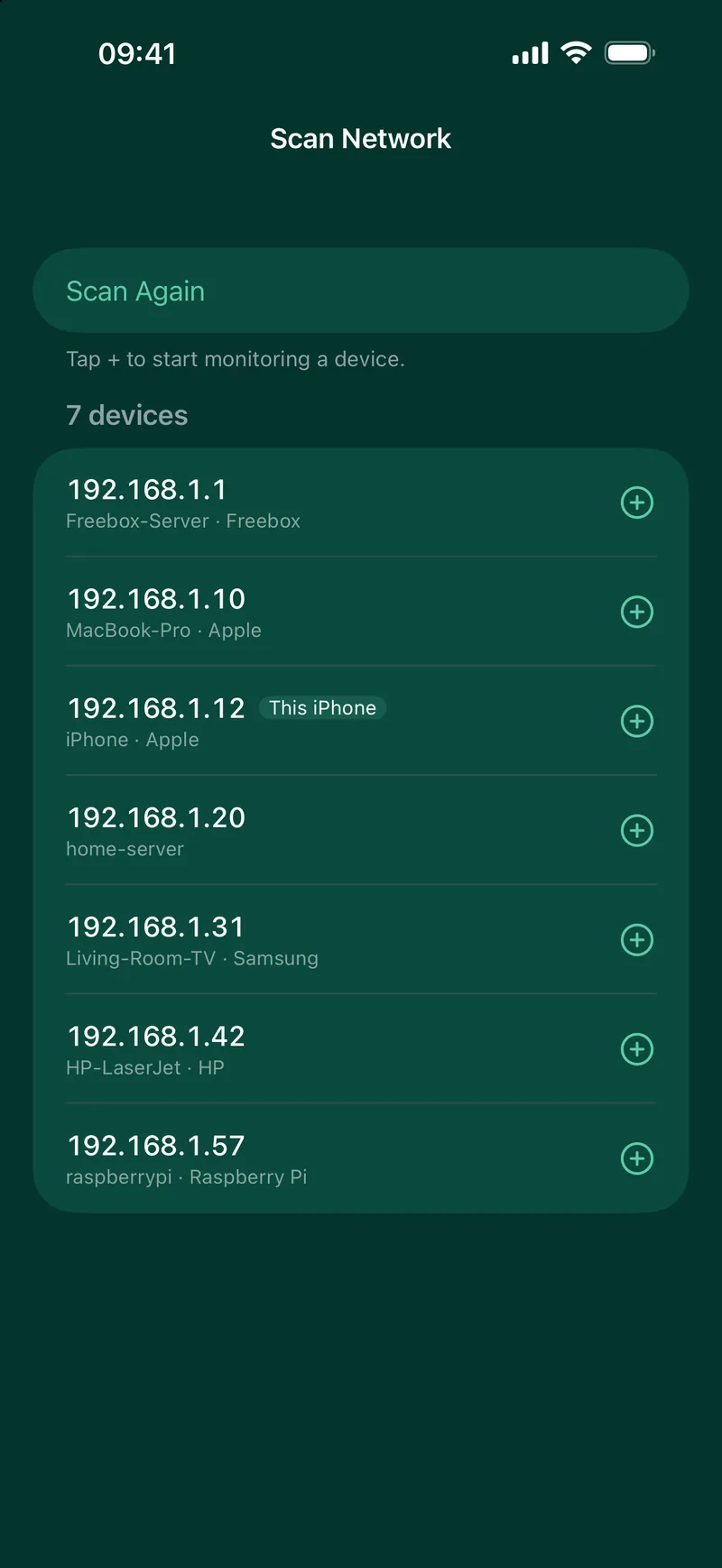
Know what is on your network
Scan your local network in a few seconds. Devices show their name, even when your router does not share it, and My Network shows your Wi-Fi address, router, DNS servers and public IP.
-
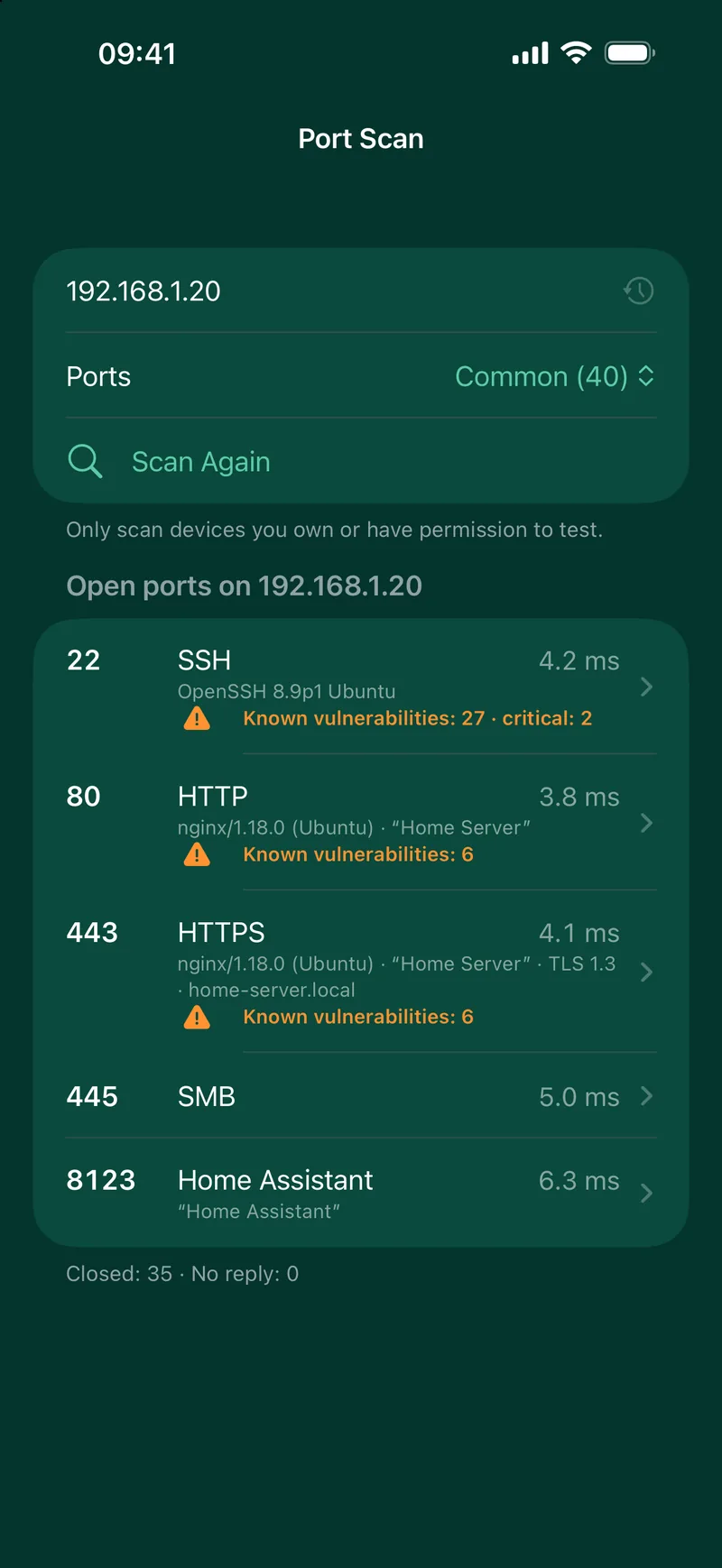
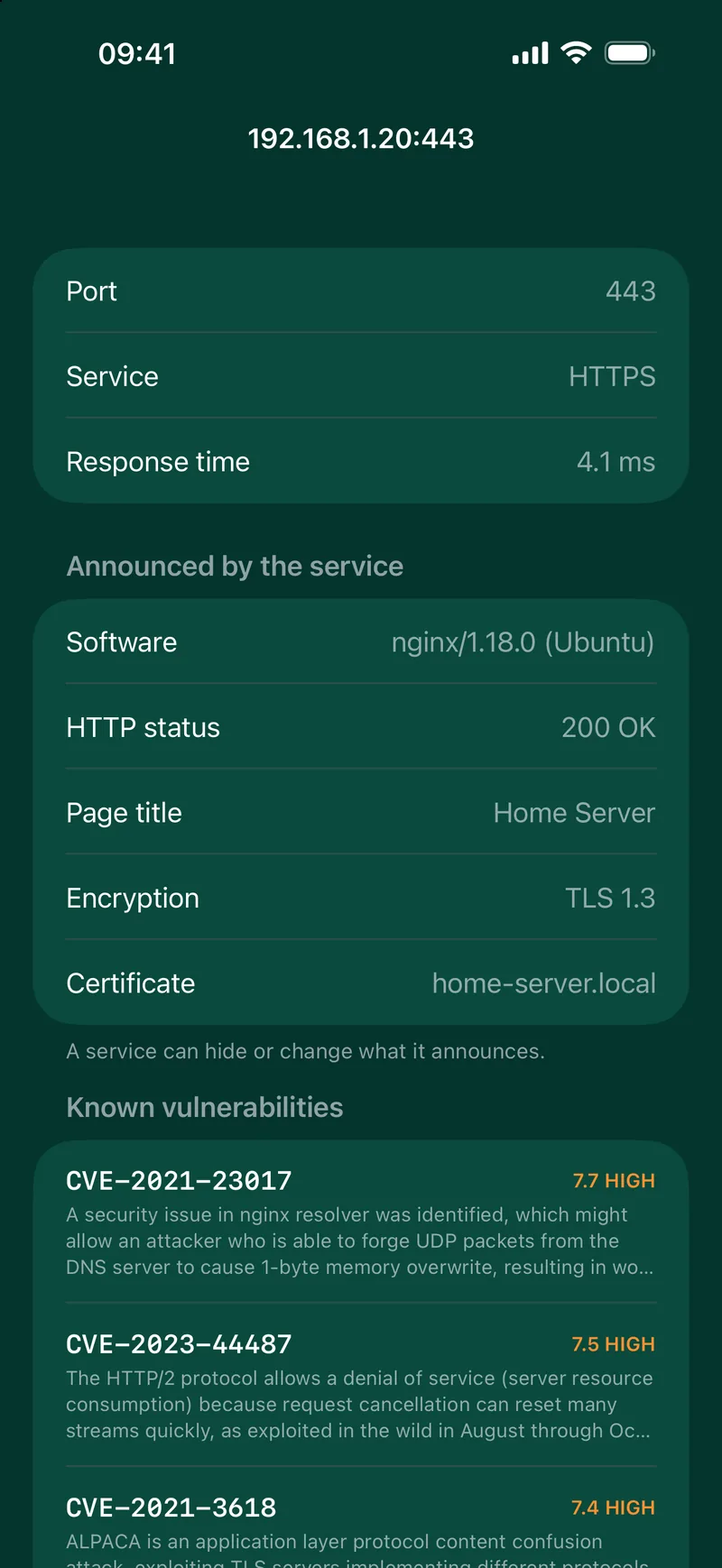
Port scan
Open ports and their known flaws
The open ports of any device, on your network or on the internet. With Ping Pro, the software behind each one, its version and its known vulnerabilities from the NIST National Vulnerability Database.
-
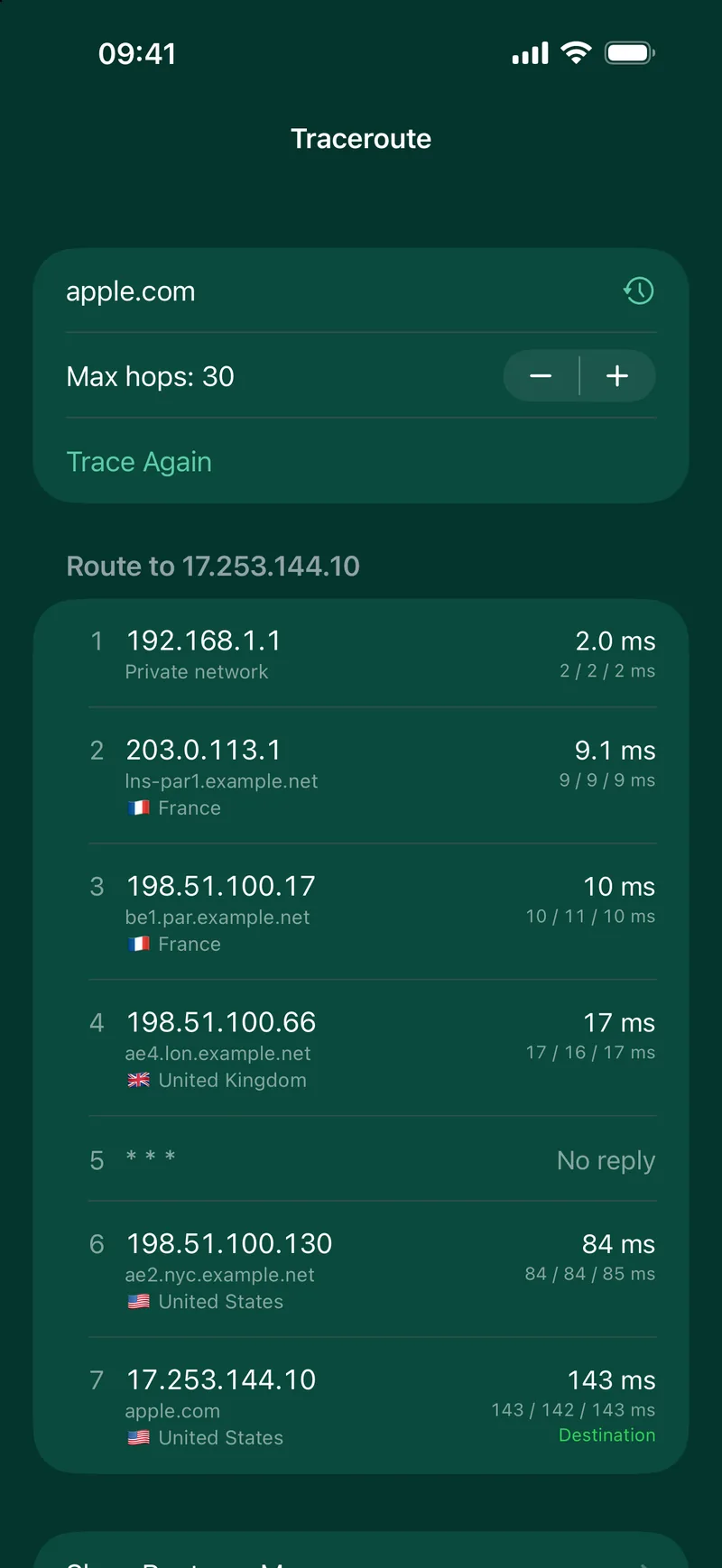
Traceroute
Follow the route, around the world
Every hop between you and the host with its latency, then placed on a world map.

-
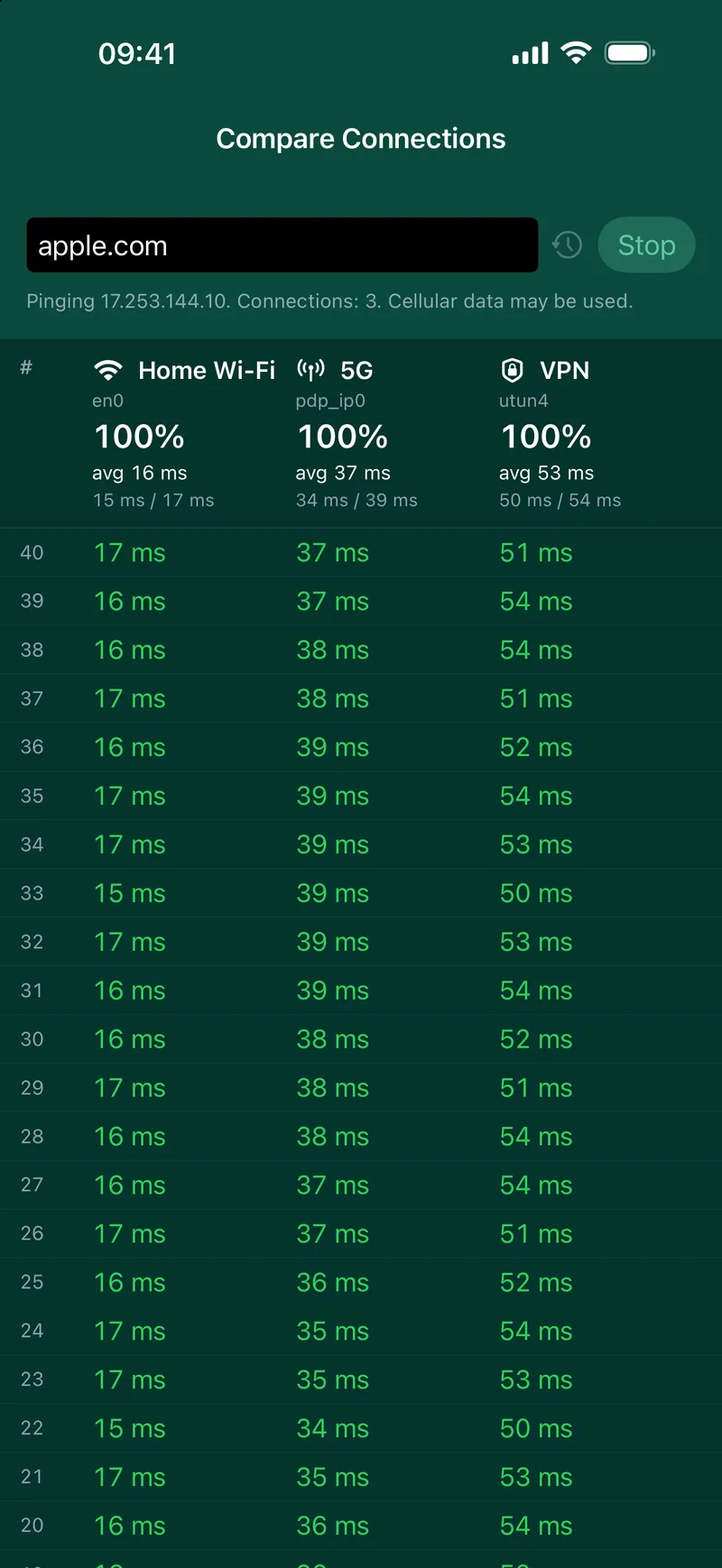
Compare connections Pro
Wi-Fi, 5G or VPN: which is faster?
Ping the same host over Wi-Fi, cellular and VPN at once, and compare their latency and loss side by side.
And the essentials
DNS lookup
A, AAAA, MX, TXT, NS, CNAME, PTR and more.
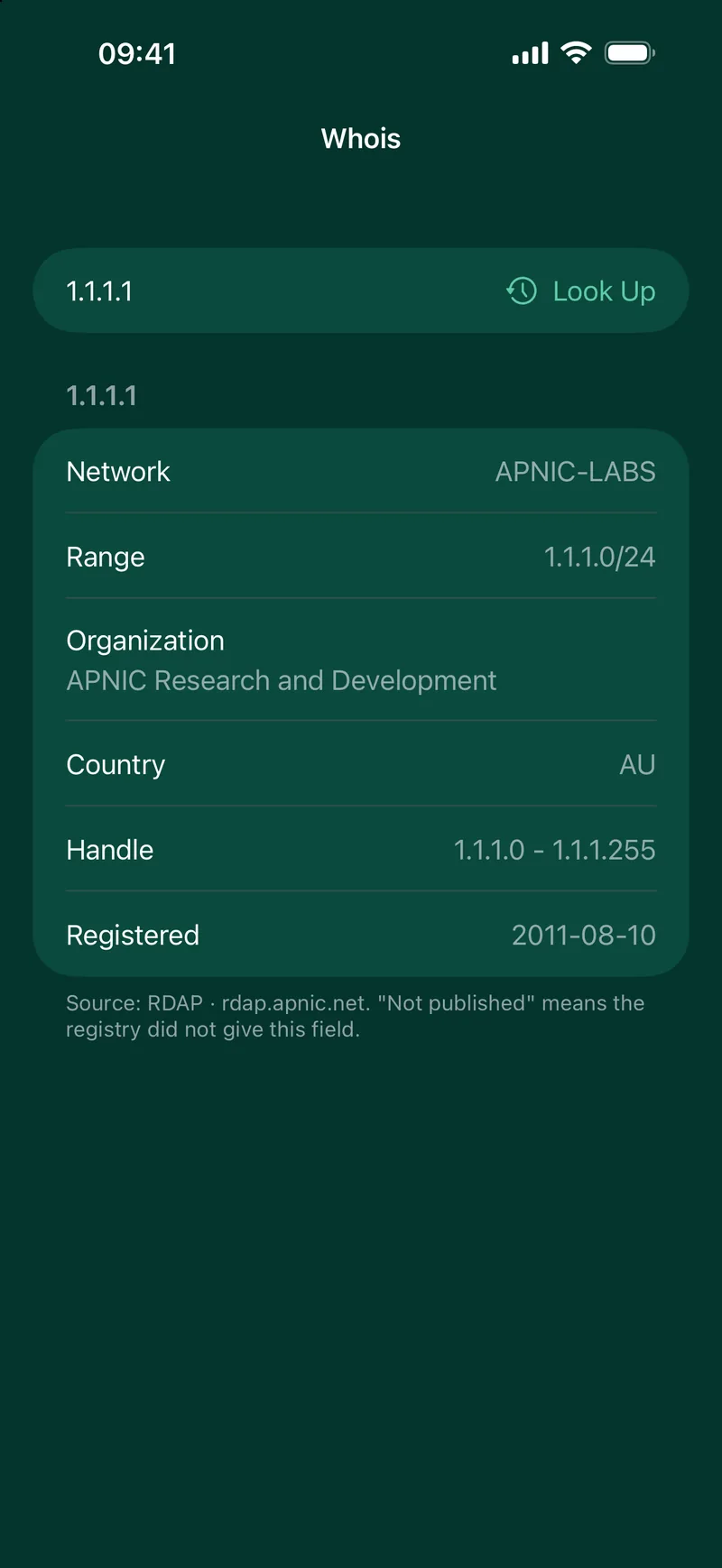
Whois
Owner and registration details of a domain or an IP address.
TCP and web checks
For servers that block ping: a port or a web page instead.
Wake-on-LAN Pro
Wake a computer of your network from your iPhone.
Tags and pause
Group your hosts and pause the ones you do not need.
IPv6 ready
Every tool works with IPv4 and IPv6.
Ping Pro
Ping Pro
One purchase of 6.99 EUR, no subscription.
20 hosts
Monitor up to 20 hosts instead of 4, with alerts for each one.
Widgets and Live Activity
Your hosts on the Home Screen, the Lock Screen and in the Dynamic Island.
History and export
24 hour history of every host, exported to CSV.
iCloud sync
Your hosts on your iPhone and iPad, through your private iCloud.
Every network tool is free, with alerts and TCP and web checks without limit for 4 hosts. Ping Pro adds more hosts, unlimited scans, widgets, history and more.
| Feature | Free | Pro |
|---|---|---|
| Included in Free | ||
| Ping hosts, IPv4, IPv6 and ranges | ||
| Live latency chart, loss, jitter, min, average, max | ||
| Traceroute with map | ||
| DNS lookup and whois (domains and IP addresses) | ||
| Local network scan with device names | ||
| My Network and public IP | ||
| TCP and web checks | Unlimited | Unlimited |
| Simple port scan | 2 a day | Unlimited |
| Alerts when a host goes down | Unlimited | Unlimited |
| Hosts monitored | 4 | 20 |
| Known vulnerabilities in the port scan | 2 checks a day | Unlimited |
| Ping Pro adds | ||
| Widgets and Live Activity | Pro only | |
| 24 hour history and CSV export | Pro only | |
| iCloud sync between your devices | Pro only | |
| Wake on LAN | Pro only | |
| Compare Wi-Fi, cellular and VPN side by side | Pro only | |
| Shortcuts and Siri | Pro only | |
| Ads | Yes, on iPhone and iPad | No ads |
| Price | Free | 6.99 EUR, one-time |
Bought "Remove Ads" before? It unlocks Pro: restore your purchase in the app.
One purchase of Ping Pro unlocks it on iPhone, iPad and Mac with the same Apple Account.
| Feature | iPhone and iPad | Mac Mac App Store |
|---|---|---|
| Network tools | ||
| Ping hosts, IPv4, IPv6 and ranges, live latency chart | ||
| Traceroute with map | ||
| DNS lookup | ||
| Whois of domains | ||
| Whois of IP addresses | ||
| Local network scan with device names | ||
| MAC address and maker of each device | Not available | |
| My Network, public IP | ||
| TCP and web checks | ||
| Simple port scan | ||
| Known vulnerabilities in the port scan (Pro) | ||
| Wake on LAN (Pro) | ||
| Compare connections side by side (Pro) | Wi-Fi, cellular, VPN | Wi-Fi, Ethernet, VPN |
| Monitoring | ||
| Alerts when a host goes down | ||
| 24 hour history, chart and CSV export (Pro) | ||
| Tags | ||
| Widgets (Pro) | ||
| Live Activity and Dynamic Island (Pro) | Not available | |
| Shortcuts and Siri (Pro) | ||
| iCloud sync between your devices (Pro) | ||
| And | ||
| Ads in the free version | Yes | No ads |
| Requires | iOS 17 or later | macOS 14 Sonoma or later, Apple silicon and Intel |
Privacy
Your network stays yours
Pings, DNS lookups, whois and traceroute go straight from your iPhone to the network. No account, and no server of ours in the middle.
What's new
Version 3.6
Released on 13 October 2026
- The free version includes 2 port scans and 2 vulnerability checks a day
- Ping Pro removes the daily limits
- Check the known vulnerabilities of a port on demand, right from the port scan
- Alerts and TCP and web checks are free and unlimited, with 4 hosts free and 20 with Ping Pro
- 2 simple port scans and 2 vulnerability checks a day on the free version, unlimited with Ping Pro
- Public IP bar with your active connections and Details and Compare buttons
- Traceroute map with more realistic positions, and a reminder that locations are never guaranteed
- My Network card on the main screen: Wi-Fi, cellular, VPN and public IP, with Details and Compare buttons
- A Tools button with every tool in one place
- Traceroute map with more realistic positions, and a reminder that locations are never guaranteed
- Compare Connections leaves the first cellular ping out of the statistics
- Alerts when a host goes down are now free, for up to 4 hosts
- TCP and web checks are now free
- Simple port scan is now free: open ports of any device
- Ping Pro: up to 20 hosts, software versions and known vulnerabilities, widgets and history
Questions
Questions
I bought "Remove Ads" before. Do I get Pro?
Yes. Restore your purchase in the app and Ping Pro is yours.
Does Ping send my data to a server?
No. The network tools run on your iPhone. Only the free version shows ads, with your consent where the law requires it.
Which devices are supported?
iPhone and iPad with iOS 17 or later, and Mac with macOS 14 Sonoma or later.
Is it available in my language?
Ping Network Scanner is available in 12 languages, including French, German, Spanish, Japanese, Korean and Chinese.
Ping your first host in a minute.
Free. Ping Pro is a one-time 6.99 EUR, no subscription.
Download on the App StoreiPhone and iPad, iOS 17 or later. Also on the Mac App Store.
Built by Decodr.tech
We also build software for companies
Odoo development, migrations, support and native apps for Mac and iPhone.