The Mac app is available now. The iPhone app is coming soon, included in the same purchase.
Disk Usage for Mac and iPhone
Your Mac's disks, everywhere.
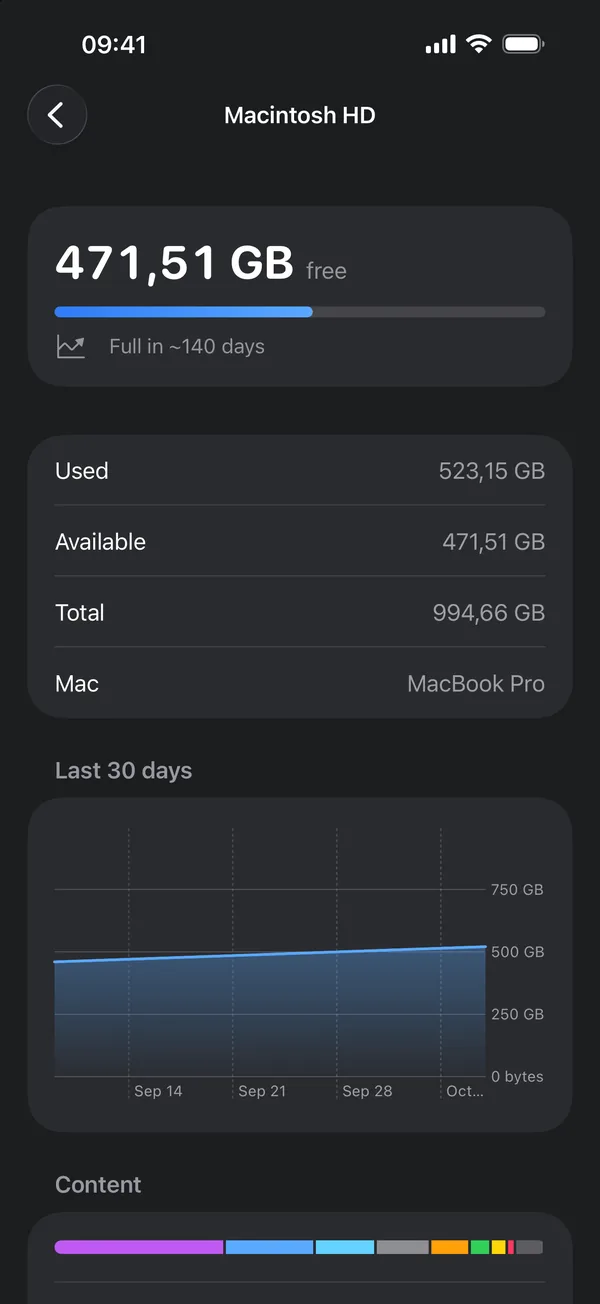
Widgets, disk analysis and low space alerts on your Mac. Your disks, forecasts and Lock Screen widgets on your iPhone.
1.99 USD, one purchase for Mac and iPhone.
One app, two screens
On your Mac
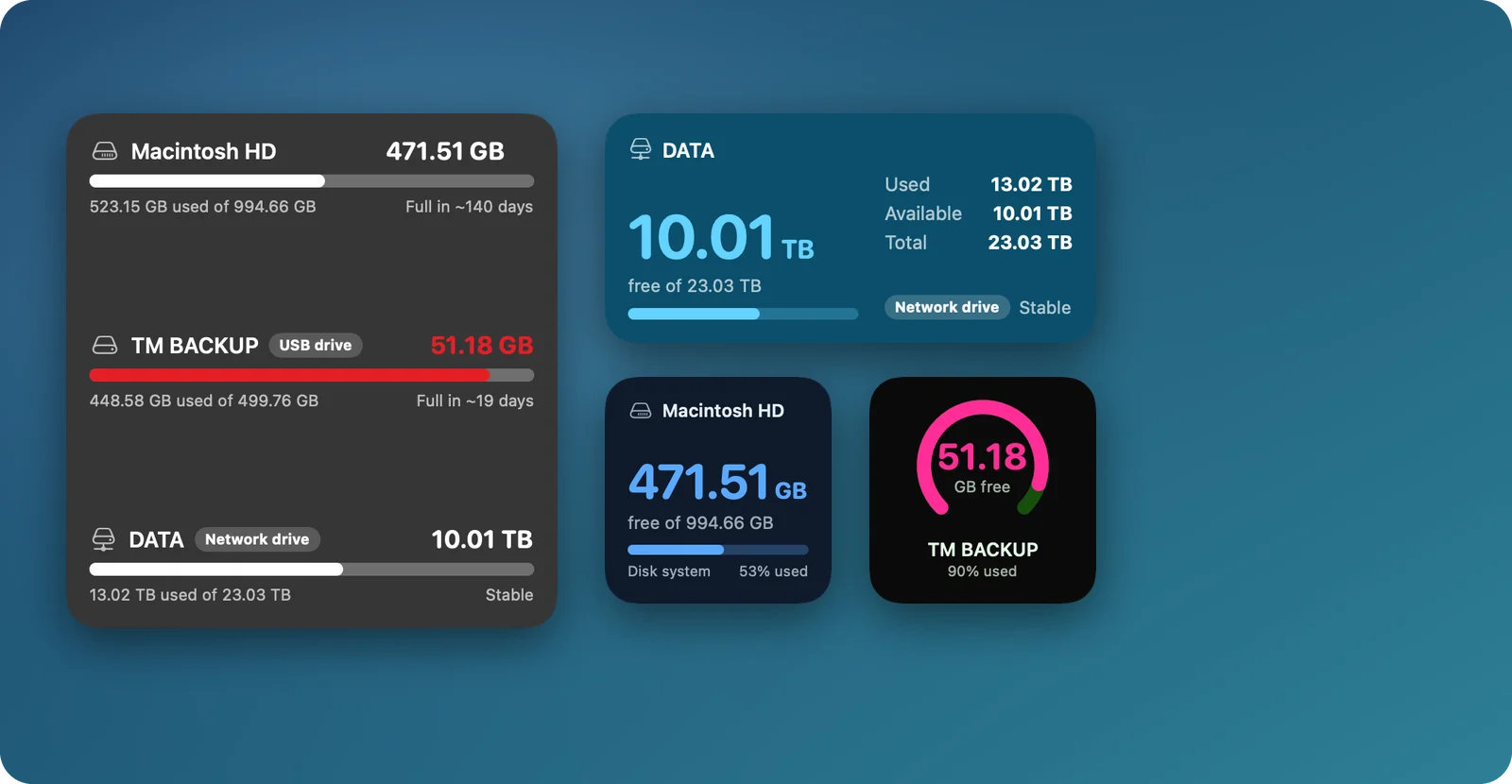
- Desktop widgets in 6 sizes and 14 themes
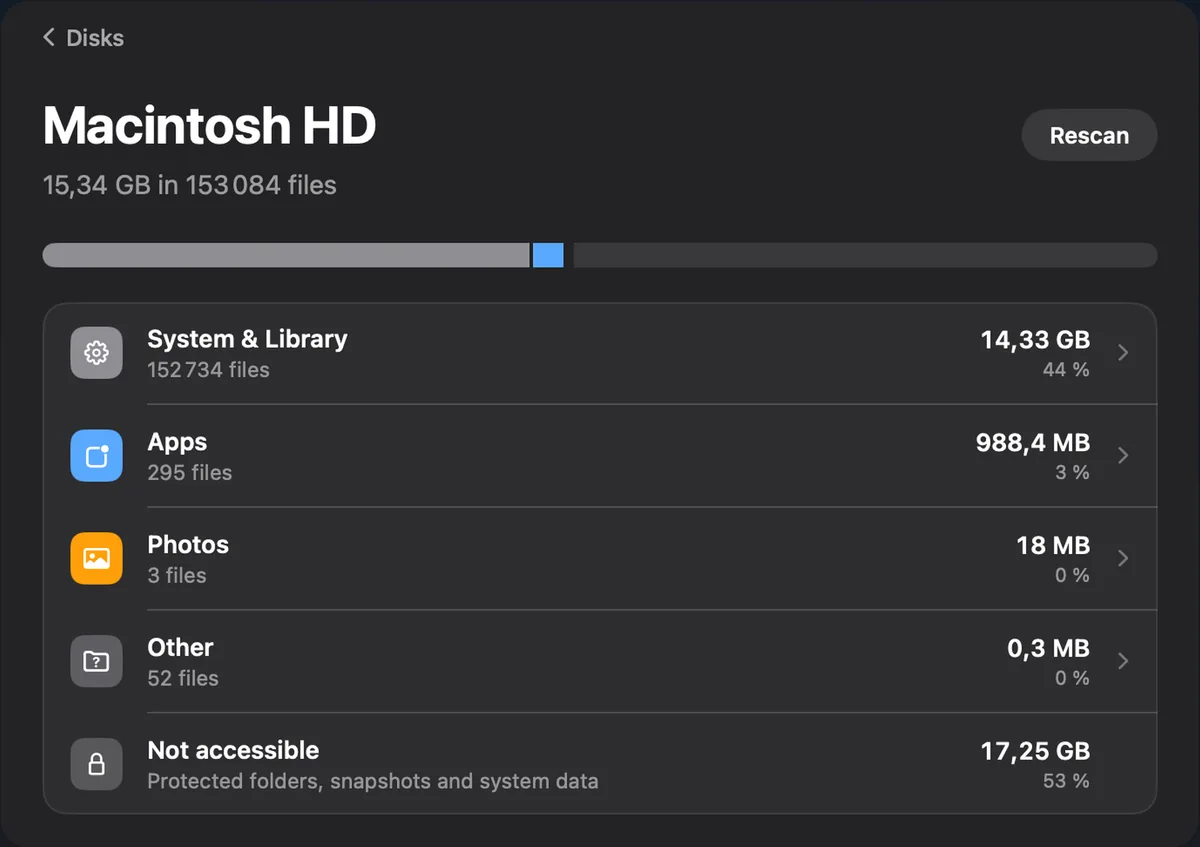
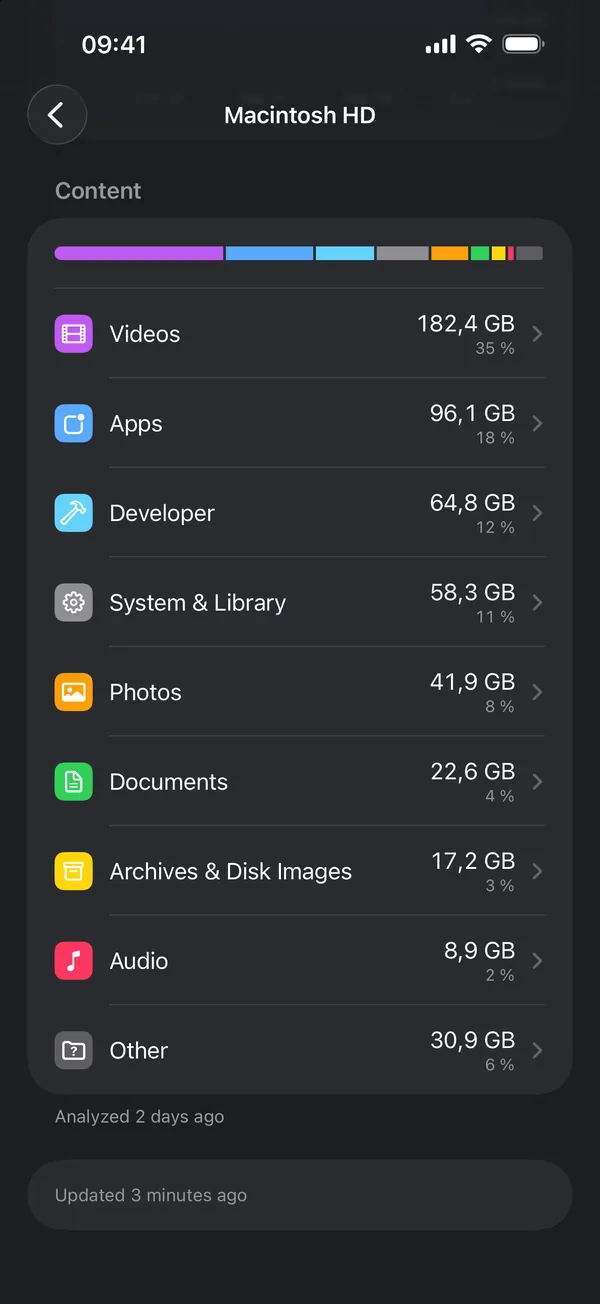
- See what fills each disk, by type and by folder
- Free space in the menu bar
- An alert before a disk is full
On your iPhone Coming soon
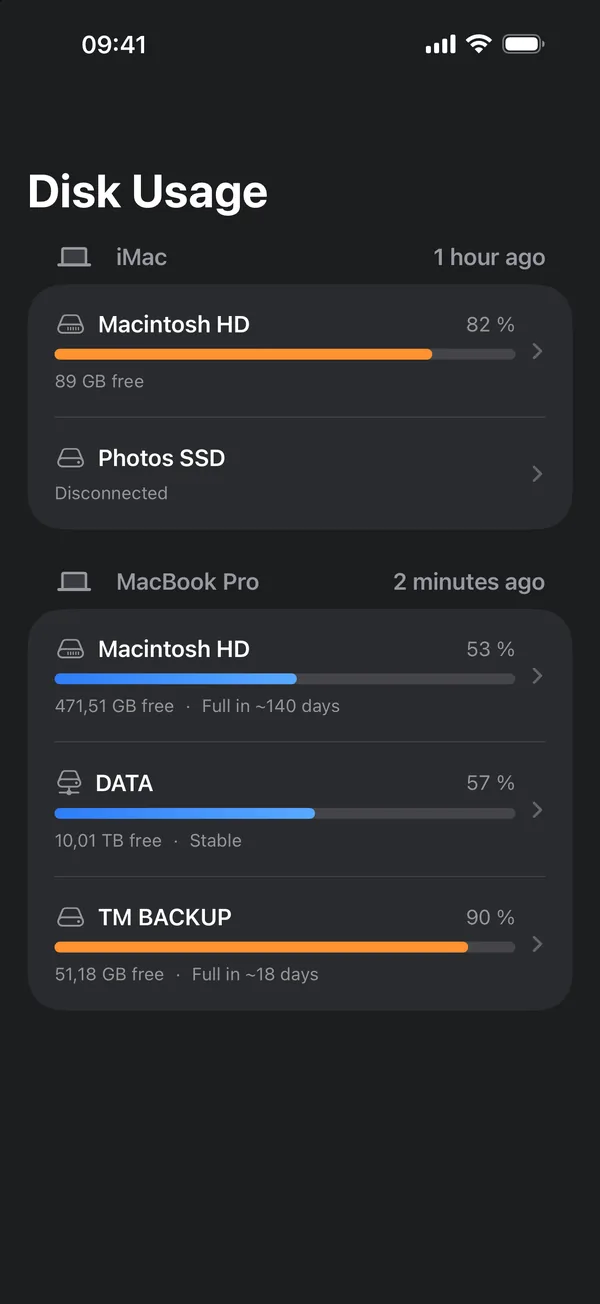
- Every disk of every Mac
- Home Screen and Lock Screen widgets, redesigned
- Low space notifications
- Synced through your private iCloud
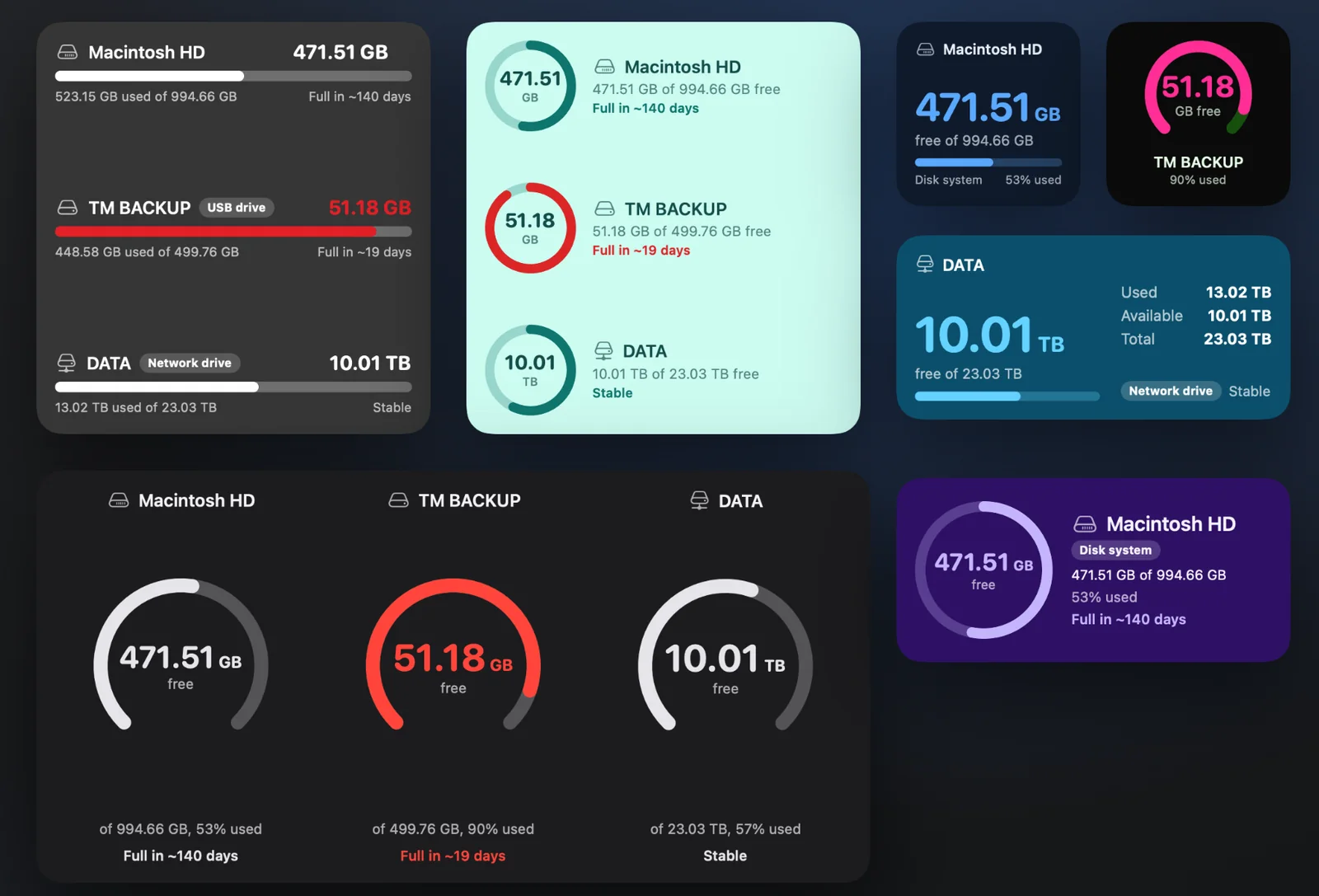
Choose your widget style
Every widget has its own looks, in 14 themes or your own colors.
Mac widgets Coming soon
- Three styles: Classic, Focus and Ring
- The forecast of when a disk will be full, on the widget
- A 30 day chart on the tall widgets
- Your themes and colors work with every style
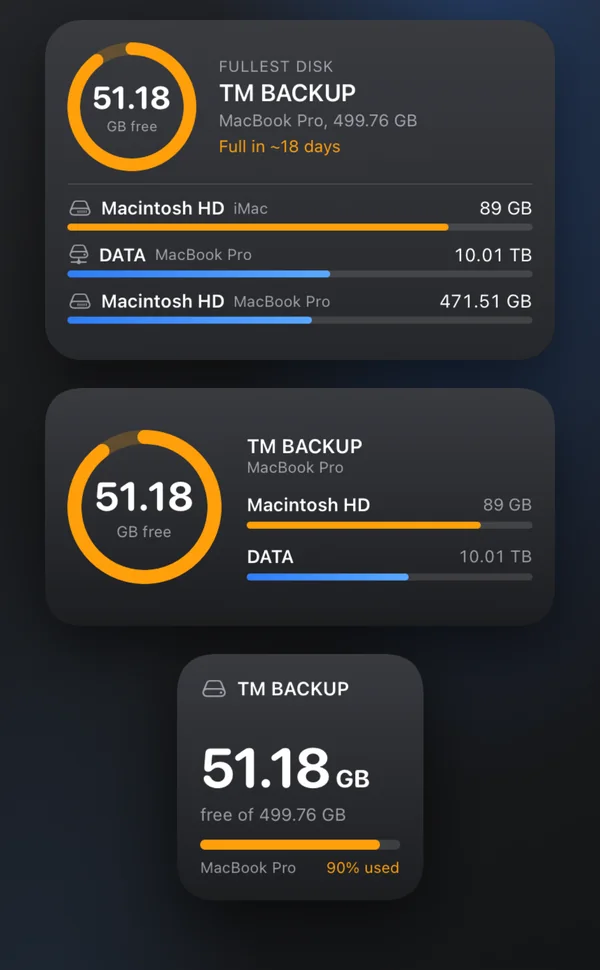
iPhone widgets Coming soon
- Home Screen widgets in small, medium and large
- Lock Screen widgets, circular, rectangular and inline
- Pick the disk to show, or follow the fullest one
Everything about your storage
Startup disk, external drives, network volumes and memory.
Widgets
Small to extra large, with your own colors or background image.
Disk analysis
Space by category, folders by size and the 50 largest files of each type.
History and forecast
Daily history, charts and an estimate of when a disk will be full.
Alerts and summary
A notification when space runs low, and a weekly summary.
Memory
Memory pressure and the apps that use the most, live.
Shortcuts and Control Center
Free space in your automations and in Control Center.
Everything Disk Usage does, on each device
One purchase covers Mac and iPhone. The iPhone app shows what the Mac measures.
| Feature | Mac | iPhone Coming soon |
|---|---|---|
| What it shows | ||
| Free space, used space and capacity of every disk | Coming soon | |
| Startup disk, external drives and network volumes | Coming soon | |
| Memory used, pressure and the apps using the most | Not available | |
| Disconnected disks stay listed with their last state | Not available | Coming soon |
| Widgets | ||
| Desktop widgets, small to extra large | Not available | |
| Home Screen widgets, small, medium and large | Not available | Coming soon |
| Lock Screen widgets, circular, rectangular and inline | Not available | Coming soon |
| Up to three disks in large and extra large widgets | Not available | |
| 14 themes, light and dark, or your own colors | Not available | |
| Your own background image | Not available | |
| Critical color below your chosen threshold | Not available | |
| Refresh button, and one click to open the disk | Not available | |
| Pick the disk to show, or follow the fullest one | Not available | Coming soon |
| Widget styles: Classic, Focus and Ring | Coming soon | Not available |
| Forecast and 30 day chart on the widgets | Coming soon | Not available |
| Analysis | ||
| Space by type: apps, videos, photos, audio, documents and more | Coming soon result of the last analysis | |
| Largest files of each category, with their location | Coming soon result of the last analysis | |
| Browse folders by size, level by level | Not available | |
| Reveal any file in Finder | Not available | |
| History and forecast | ||
| Daily history of each disk | Coming soon | |
| Estimate of when a disk will be full | Coming soon | |
| 30 day, 90 day and 1 year charts | Coming soon 30 day chart | |
| Export the history to CSV | Not available | |
| Alerts and shortcuts | ||
| Notification when a disk is almost full | Coming soon | |
| Free space in the menu bar, overview in one click | Not available | |
| Weekly summary of the disk that changed the most | Not available | |
| Shortcuts actions and a Control Center control | Not available | |
| Eject external disks from the app | Not available | |
| And | ||
| Never deletes or moves your files | Coming soon | |
| No account, no tracking, your private iCloud only | Coming soon | |
| 18 languages | Not available | |
What's new
Mac version 1.17
October 2026
- The refresh button of desktop widgets is larger and no longer opens the app by mistake
- Widgets no longer turn gray after your Mac wakes up when network drives are connected
- The sidebar announces Disk Usage for iPhone, coming soon and included in your purchase
- New Memory page with live memory pressure
- Folder browser, disk eject and CSV export of disk history
- Shortcuts, a Control Center control and 18 languages
Coming soon Mac version 1.18 with widget styles (Classic, Focus and Ring), the forecast and a 30 day chart on widgets, and the iPhone app with redesigned widgets, included in the same purchase.
Private by design
No account, no tracking, no data collection. Your data stays on your Mac, and in your own private iCloud only if you turn on iPhone sync. Disk Usage never deletes or moves your files.
Questions
Do I need a Mac to use the iPhone app?
Yes. The iPhone app shows the disks of your Macs, synced by Disk Usage on the Mac. It does not measure the iPhone's own storage.
Can Disk Usage delete my files?
No. It reads your disks to show what takes up space. It never deletes or moves a file.
Which systems are supported?
macOS 14 or later on the Mac, iOS 17 or later on the iPhone.
Is it available in my language?
Disk Usage is available in 18 languages, including French, German, Spanish, Japanese and Chinese.
Built by Decodr.tech
We also build software for companies
Odoo development, migrations, support and native apps for Mac and iPhone.