
MergePDF for Mac is available now, in the same purchase as iPhone and iPad.
MergePDF for iPhone, iPad and Mac
Merge anything into one PDF.
PDFs, photos, scans and Office files, combined into one clean PDF right on your iPhone, iPad or Mac. Nothing is uploaded: your files never leave your device.
Free, with MergePDF Pro as a one-time purchase. No subscription.
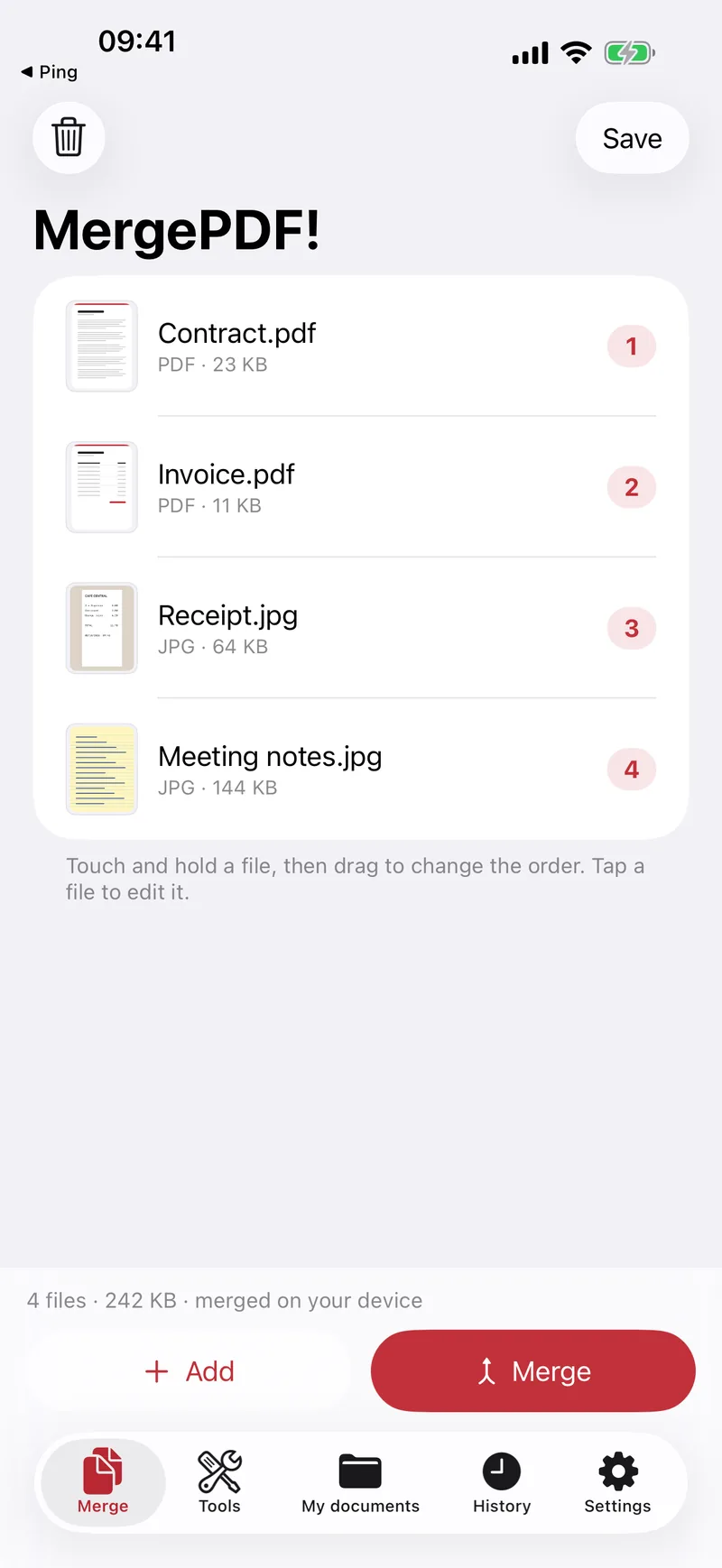
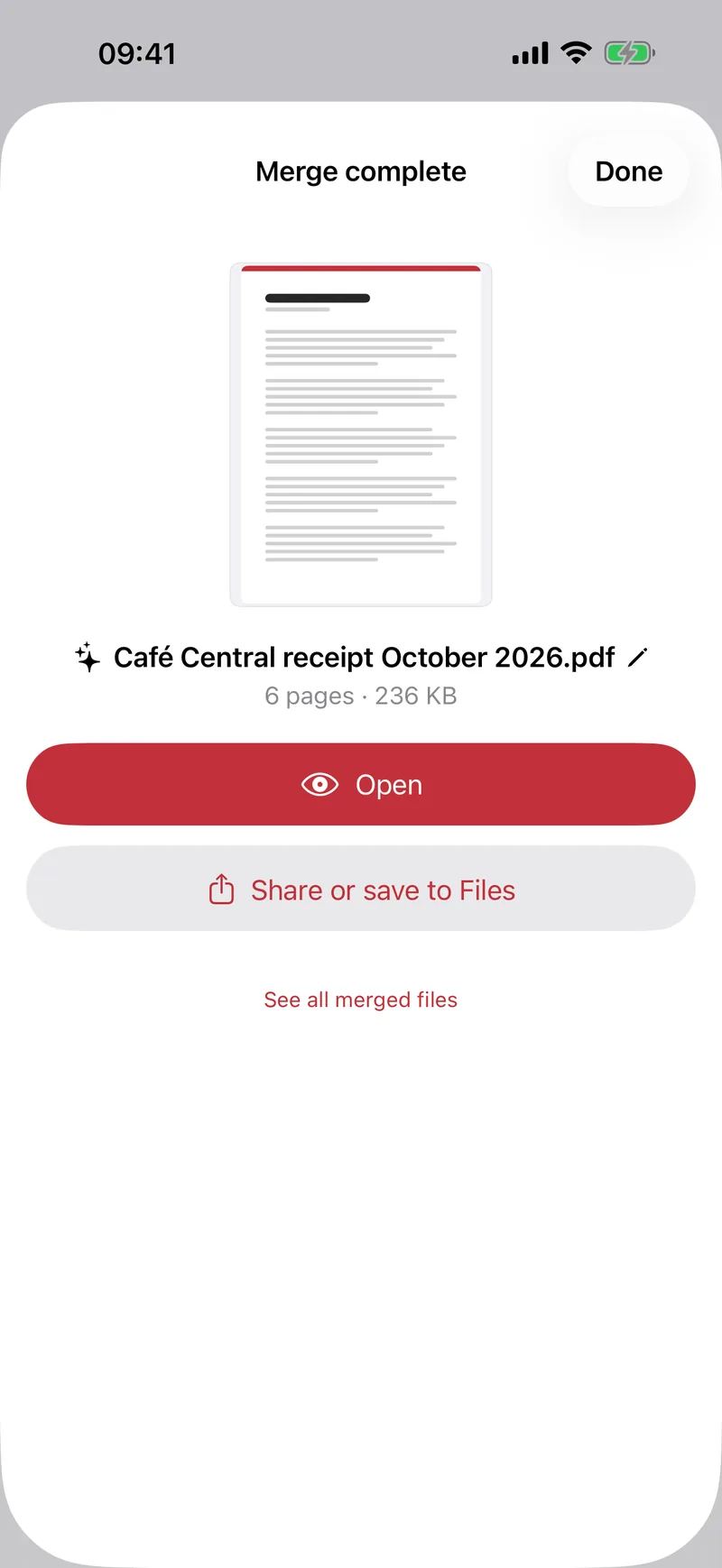
From files to one PDF
From a pile of files to one PDF
Merge
- PDFs, photos, scans, Word, Excel and PowerPoint files
- Drag to reorder, rotate, crop and adjust image quality
- Edit pages: reorder, delete, extract
- Page numbers on the merged PDF
Scan and keep
- Scan paper documents with automatic edge detection
- Extract the text of any PDF or image
- My documents: save and reload your merge lists
- History of everything you merged
- Share extension: send files to MergePDF from any app
PDF tools
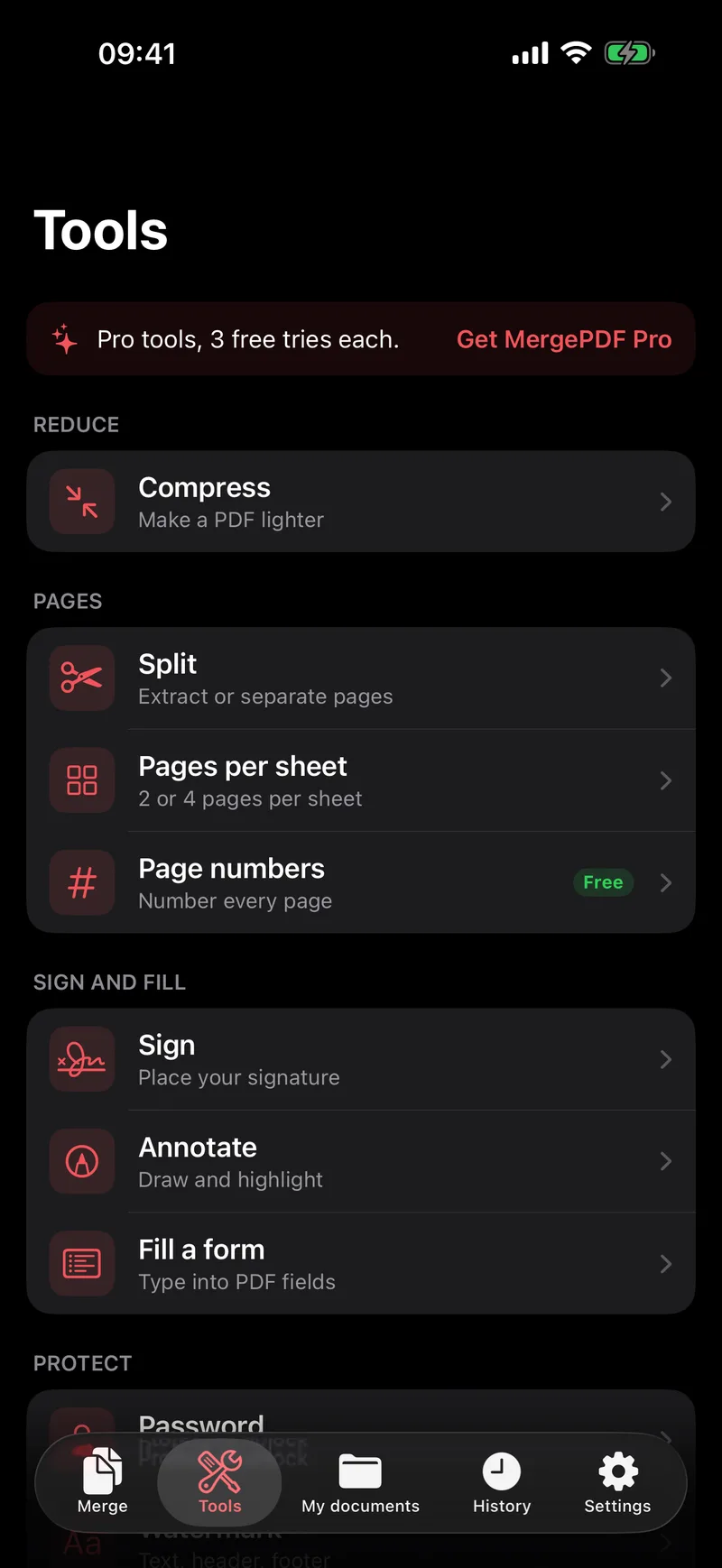
11 PDF tools in your pocket
Most of them with MergePDF Pro. Try each Pro tool 3 times for free.
Compress
Make a PDF lighter before you send it.
Split
Extract pages or separate a PDF in several files.
Sign and annotate
Place your signature, draw and highlight.
Fill forms
Type straight into the fields of a PDF form.
Password
Protect a PDF with a password, or unlock it.
Watermark
Text watermark, header and footer.
Pages per sheet
2 or 4 pages on each sheet, to print less.
Searchable scans
Text recognition makes your scans searchable.
Siri and iCloud
Siri and Shortcuts, iCloud sync, and no ads.
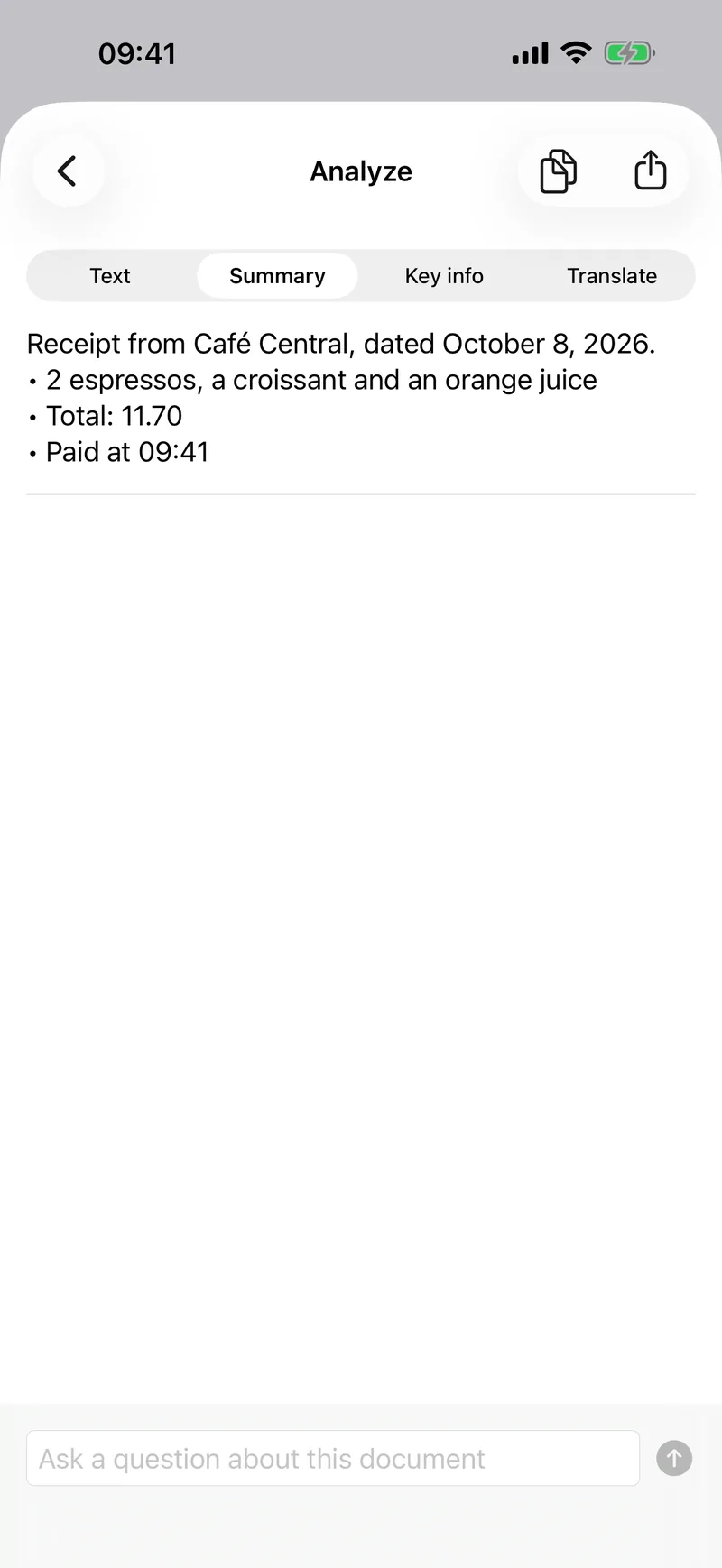
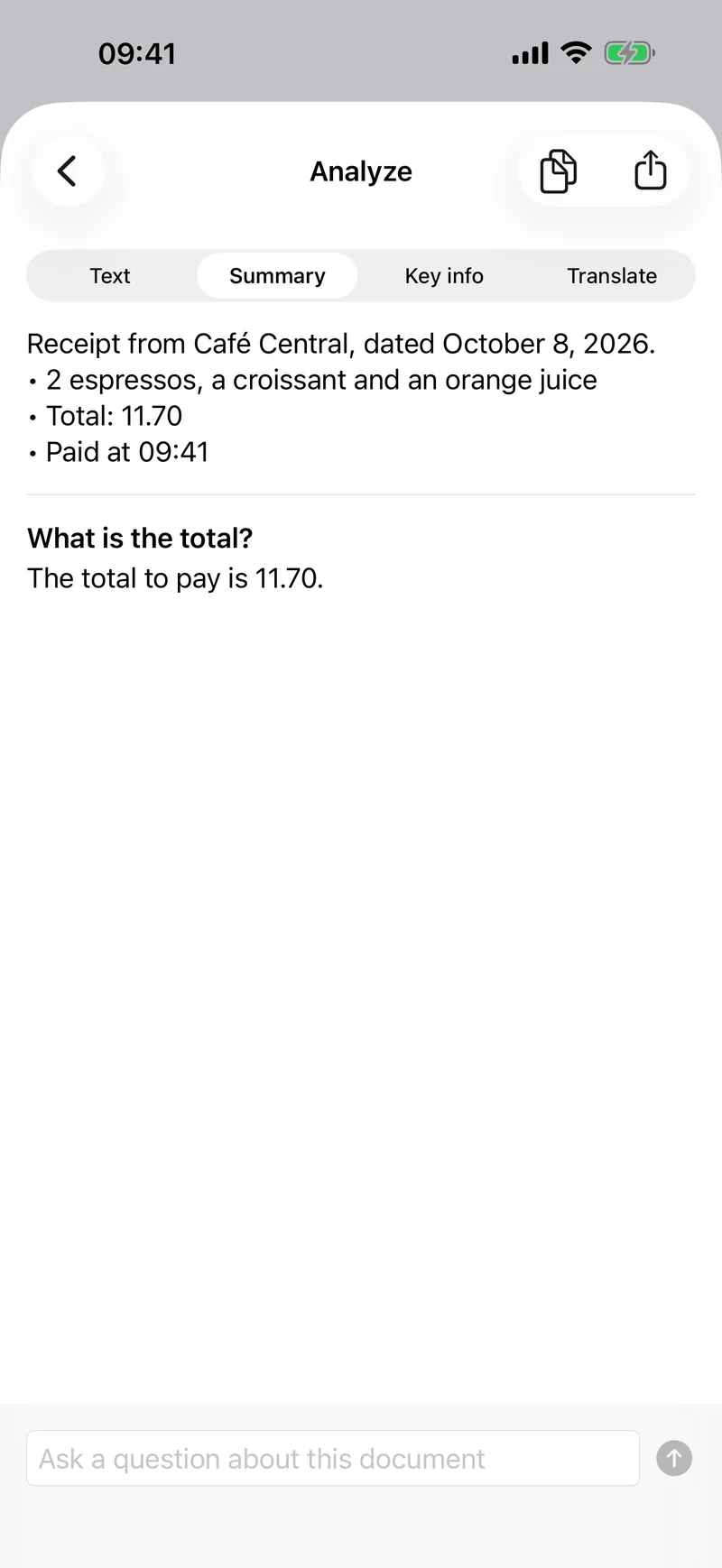
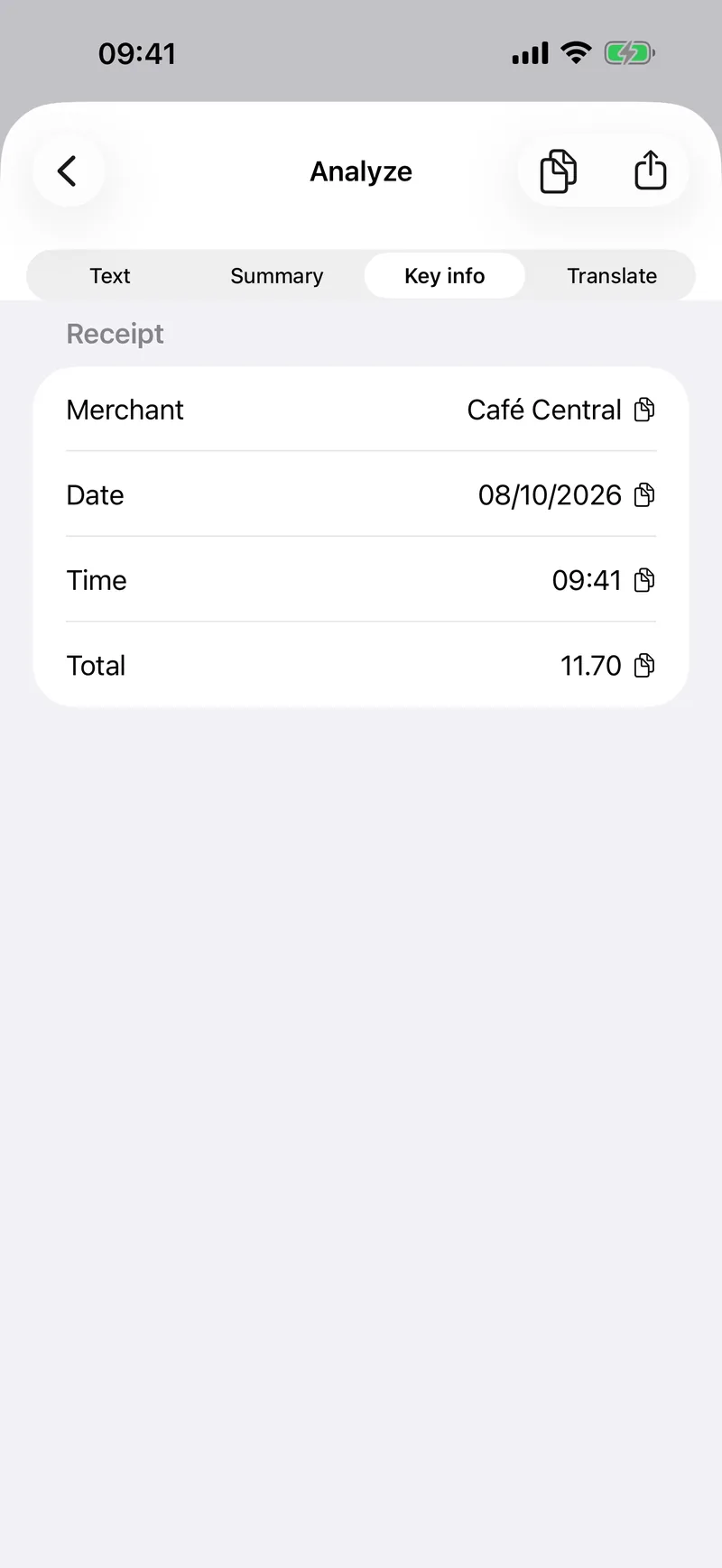
On-device AI. On iPhone and iPad with Apple Intelligence, MergePDF summarizes your documents, answers your questions about them, finds key information like totals and dates, translates them, and gives merged PDFs a clear name. It all runs on your device: your documents are never sent to a server, not even for the AI.

MergePDF Pro
MergePDF Pro
One purchase of 9.99, no subscription. Free already merges without limit.
Every tool, no limit
Compress, split, sign, annotate, fill forms and more, as often as you want.
AI on your device
Summaries, questions, key info and translation, with nothing uploaded.
Siri and Shortcuts
Merge and compress PDFs by voice or from your own shortcuts.
iCloud sync, no ads
Your projects on every iPhone and iPad, and no ads.
| Feature | Free | Pro |
|---|---|---|
| Included in Free | ||
| Merge PDFs and images, any number of files | ||
| History and projects | ||
| Share extension: send files from other apps | ||
| Page numbers and Scan to PDF | ||
| Text extraction and automatic file names | ||
| Dark mode | ||
| PDF tools | ||
| Compress, Split, Sign, Annotate, Fill a form, Password, Watermark, Pages per sheet, Make searchable | 3 tries each | Unlimited |
| AI on your device | ||
| Summary and questions, Key info, Translation in 15 languages | 3 tries each | Unlimited |
| Only in Pro | ||
| Siri and Shortcuts | Pro only | |
| iCloud sync between your devices | Pro only | |
| And | ||
| Ads | After a merge | No ads |
| Price | Free | 9.99, once |
One purchase, no subscription. Pro follows your Apple Account and your family with Family Sharing. Restore it in Settings, Restore purchases.
What's new
What's new
Version 6.0
Released in October 2026
- Rebuilt from scratch: everything runs on your device, nothing is uploaded
- On-device AI: summaries, questions, key information and translation of your documents (devices with Apple Intelligence)
- New Tools tab: compress, split, sign, annotate, fill forms, password, watermark and more
- MergePDF Pro becomes a one-time purchase, no subscription
Privacy
100% on your device
Merging, compression, text recognition and Office conversion all run on your iPhone or iPad, even offline. Your files are never uploaded.
Questions
Free
Merge, scan, text extraction and history, with ads. MergePDF Pro adds the PDF tools and removes the ads.
Download on the App StoreQuestions
Are my files uploaded anywhere?
No. Everything happens on your device. With iCloud sync turned on, your documents are also kept in your own iCloud Drive.
Which files can I merge?
PDFs, photos, scans, and Word, Excel, PowerPoint and RTF files, converted to PDF on your device.
Is MergePDF Pro a subscription?
No. MergePDF Pro is a one-time purchase: you pay once and keep it, on all your devices and with your family through Family Sharing. Restore it anytime from Settings > Restore purchases. If you subscribed to "Remove ads" in an earlier version, your subscription still works; you can cancel it in your Apple Account settings.
Which devices and languages?
iPhone and iPad with iOS 17 or later, in 15 languages, including French, German, Spanish, Japanese, Korean and Chinese. The Mac app is included in the same purchase.
Built by Decodr.tech
We also build software for companies
Odoo development, migrations, support and native apps for Mac and iPhone.