AI Dashboard for Odoo on iPhone and iPad, Mac soon
New: build a widget by chatAsk for the widget you need.
Describe it in plain words, see it live from your own Odoo, add it in one tap. Plus ready-made dashboards, Home Screen widgets and alerts on iPhone and iPad, with the Mac soon.
Works with Odoo 16 or later on Odoo.sh, your own server, or Odoo Online on the Custom plan.
- Reads your data, changes nothing
- No account
- Key stays in your Keychain
Answers and widgets come only from your own Odoo figures. Nothing is written to Odoo. With Pro + AI.
Build a widget
With Pro + AI
How to build a widget with the chat
Say what you need. See it with your own figures. Add it in one tap.
-
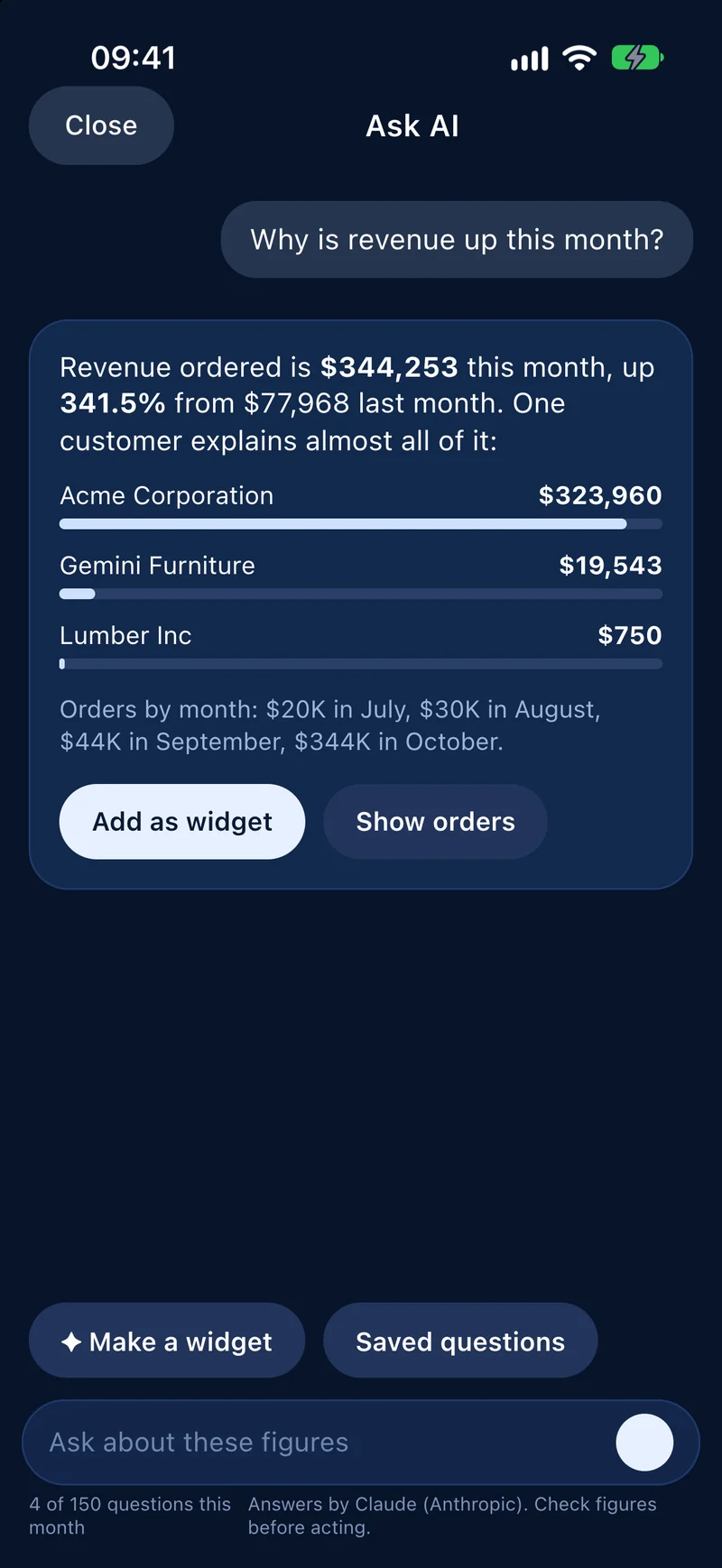
Ask about these figures1
Open the chat on a dashboard
The AI works with the objects and fields your Odoo user can already read.
-
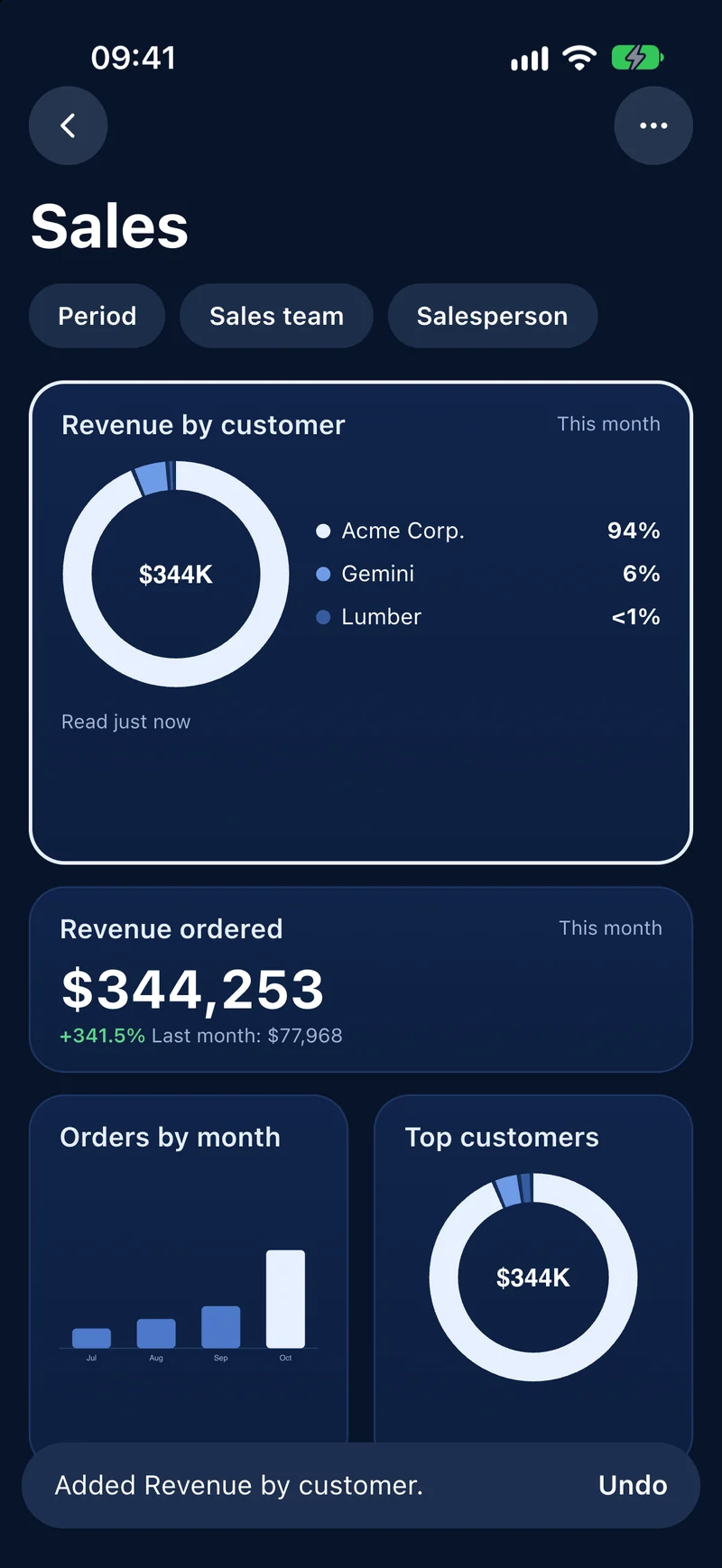
Make a widget: revenue by customer this quarter2
Describe the widget in plain words
One sentence, in your words.
-
Make a widget: revenue by customer this quarter
Revenue by customer this quarter
- Acme Corporation$368,054
- Gemini Furniture$19,543
- Ready Mat$1,128
Not nowAdd3Preview it live, then tap Add
The app checks the proposal against your Odoo and shows the widget with your real figures. Nothing is written to Odoo.
More to ask for
-
Make a widget: revenue by salesperson this quarter
Revenue by salesperson this quarter
- Mitchell Admin
- Marc Demo
Not nowAddRevenue by salesperson this quarter
The total of your sales orders for each salesperson, best first.
-
Make a widget: top products by quantity sold this month
Top products this month
Not nowAddTop products by quantity this month
The products sold in the largest quantities, best first.
Illustrations with the demo data of the app. The AI builds widgets only from your own Odoo data and the fields you can read. If a request has no matching field, the chat tells you what is missing. One widget request counts as one of the 150 questions a month in Pro + AI.
See it at work
From a number to a decision
Your own Odoo data, on the device you carry.
-
Dashboards
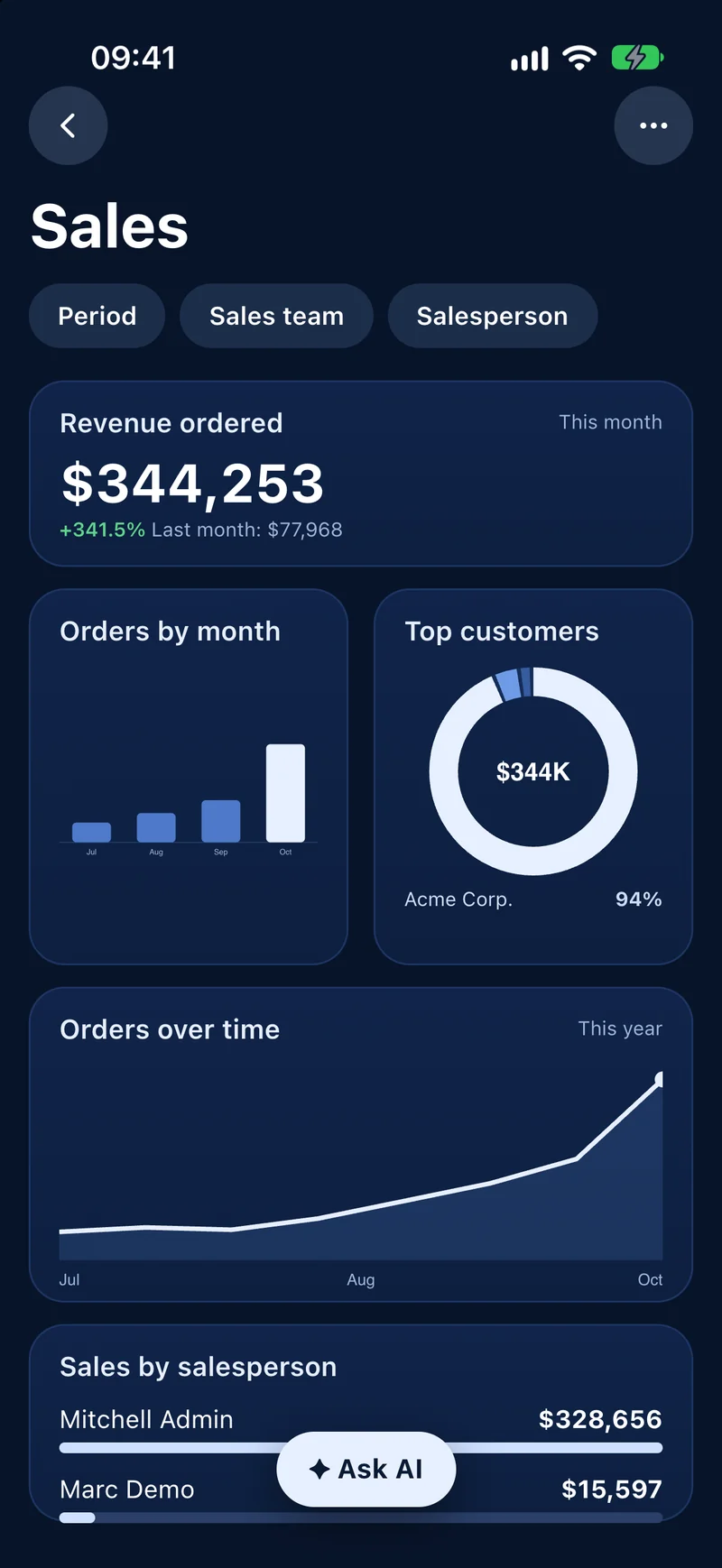
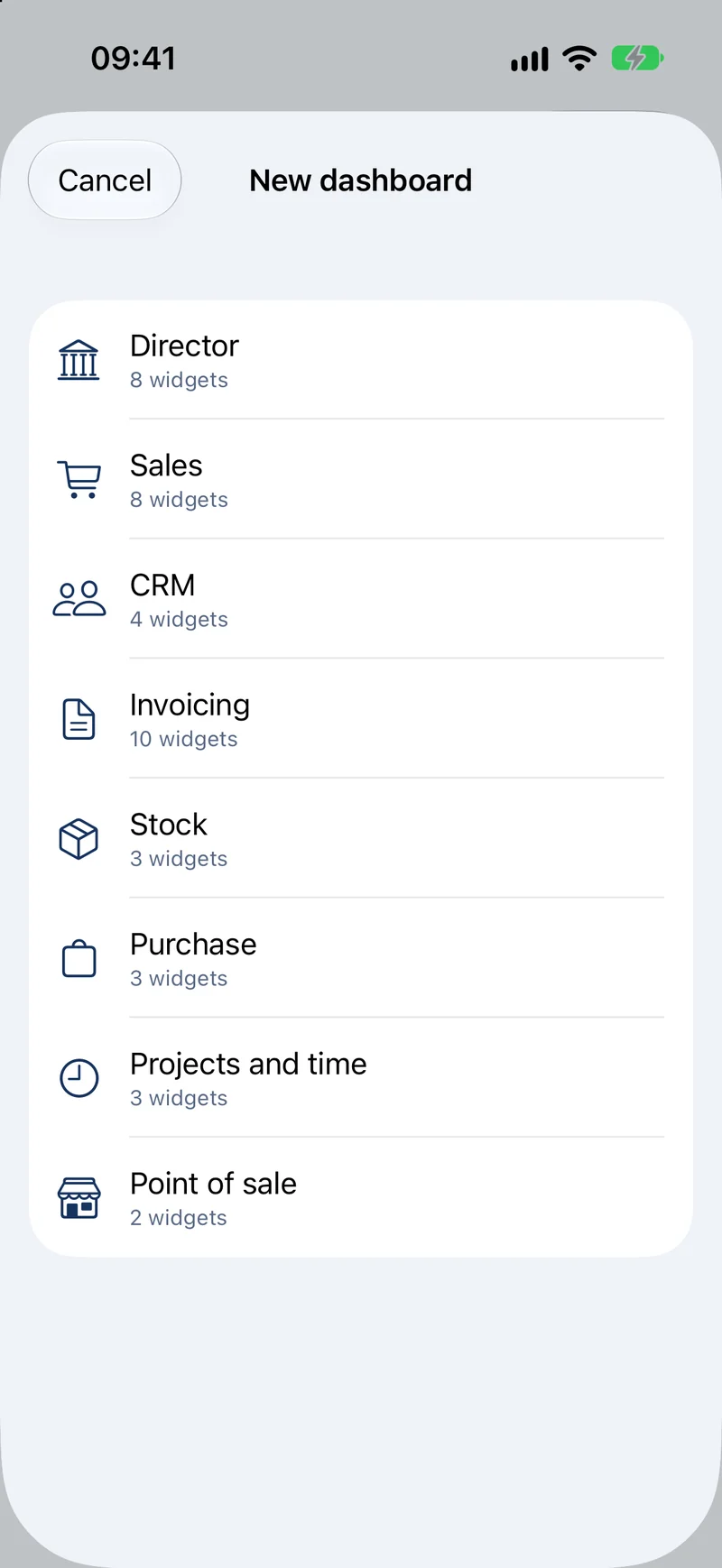
A dashboard for your role in one tap
Pick Director, Sales, CRM, Invoicing, Stock, Purchase, Projects or Point of Sale: the dashboard builds itself from your own data. Revenue against last month or the same month last year, margin, bank balances, pipeline by stage, receivables by age with your oldest overdue invoice, products below minimum stock, hours logged this week. Set a target on any figure and watch the progress bar. Lock the app with Face ID. Eight ready-made roles, 28 widgets, arranged as you like.
-
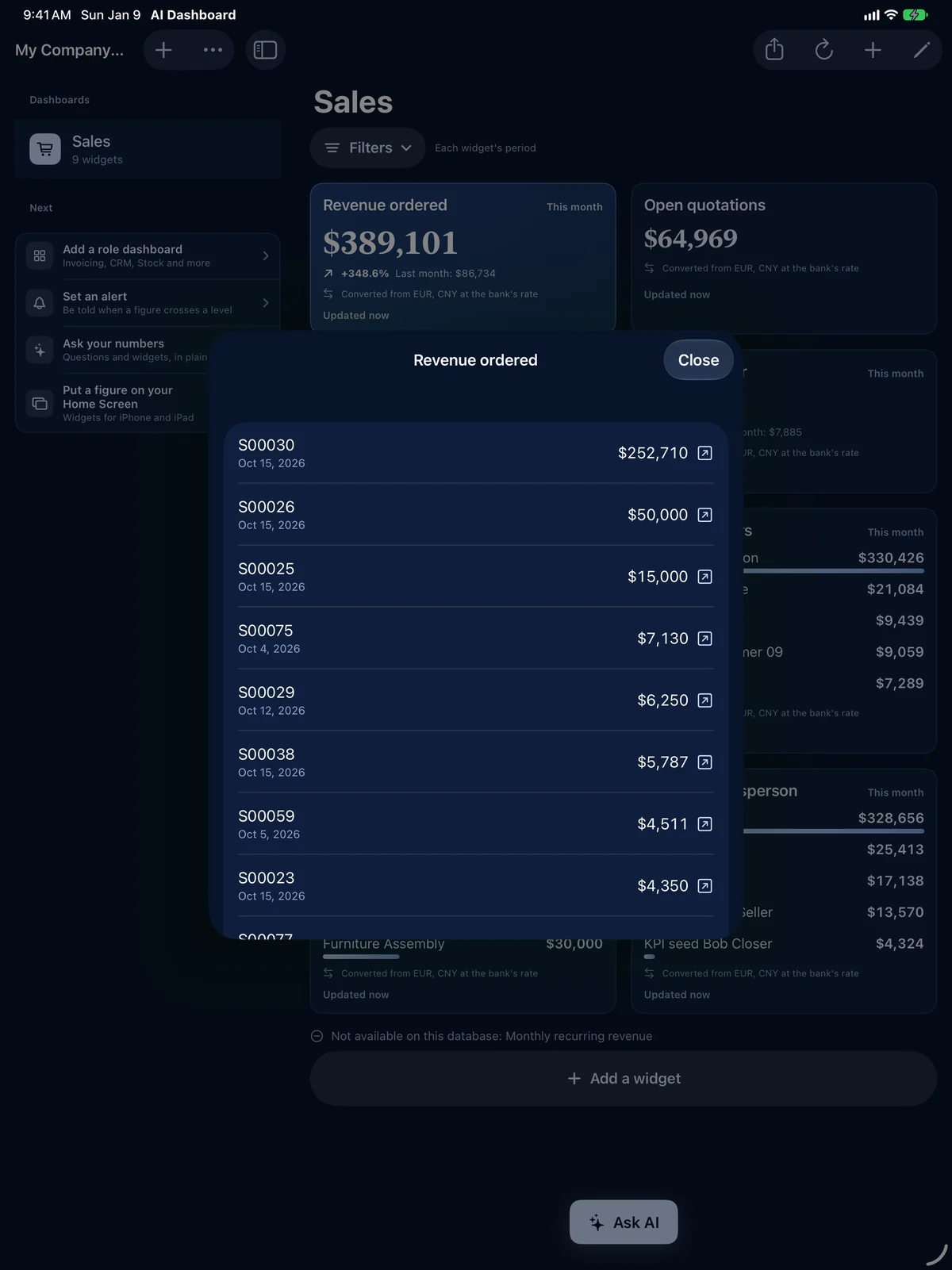
Drill-down
Every figure, down to the record
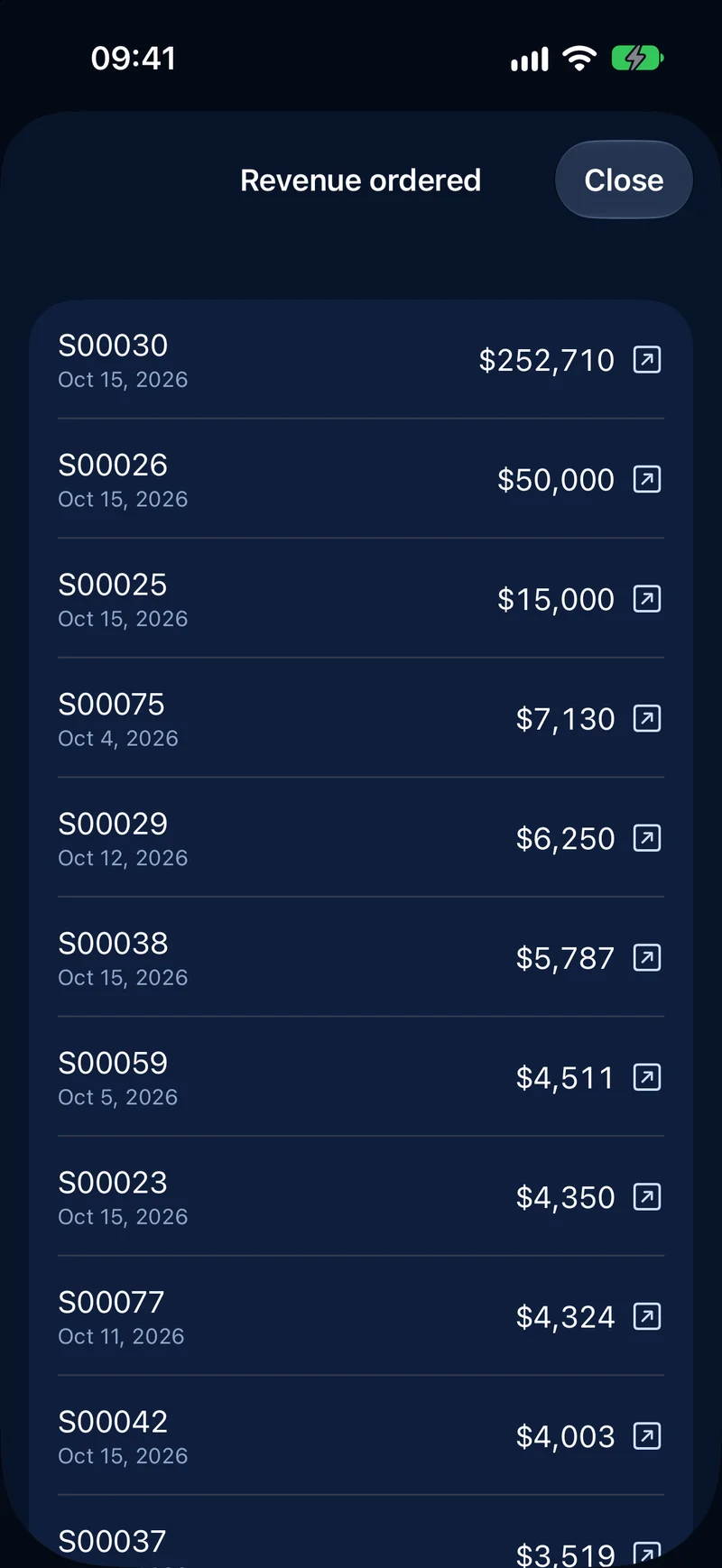
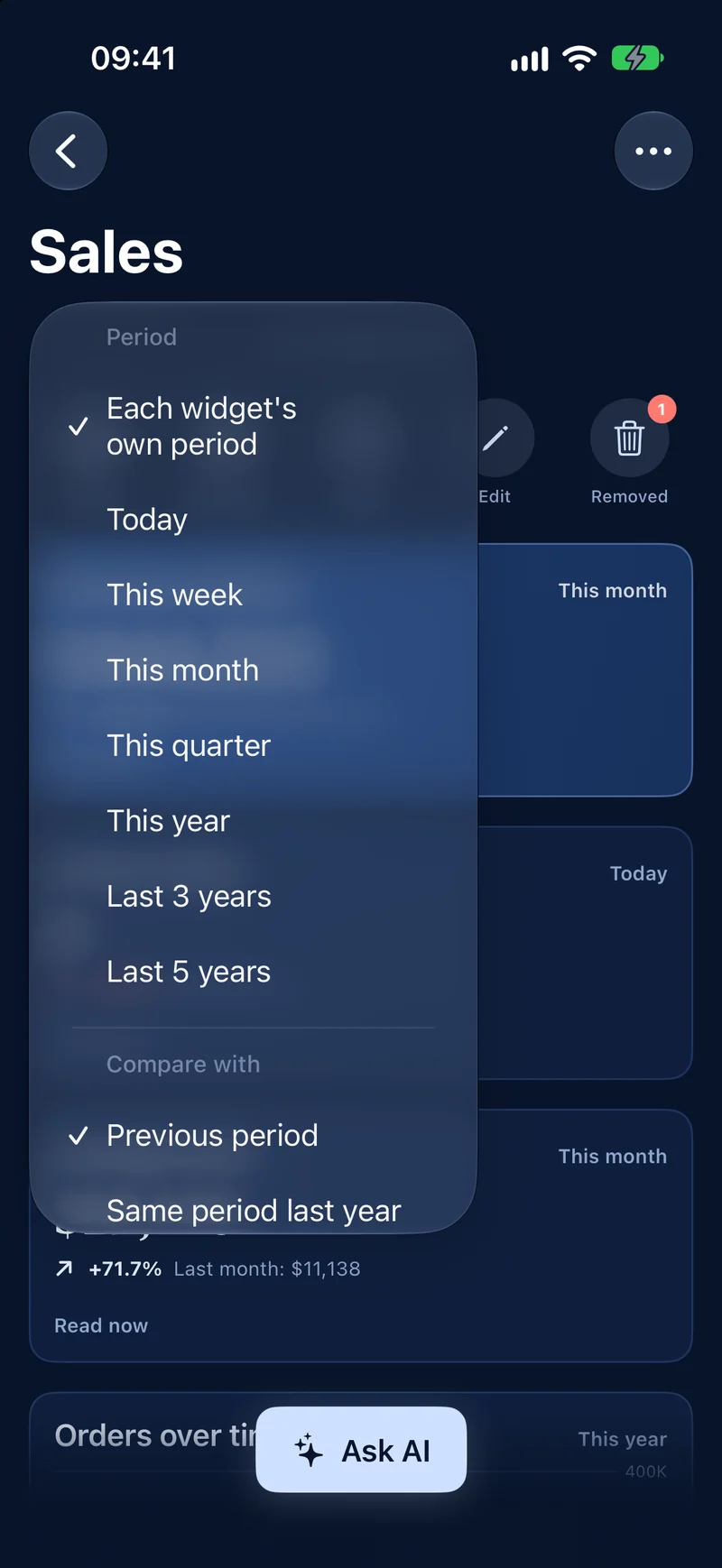
Tap a number to see the records behind it, then open any of them in Odoo. Filter by company, sales team, salesperson and period.
-
Alerts Pro
Know the moment a number needs you
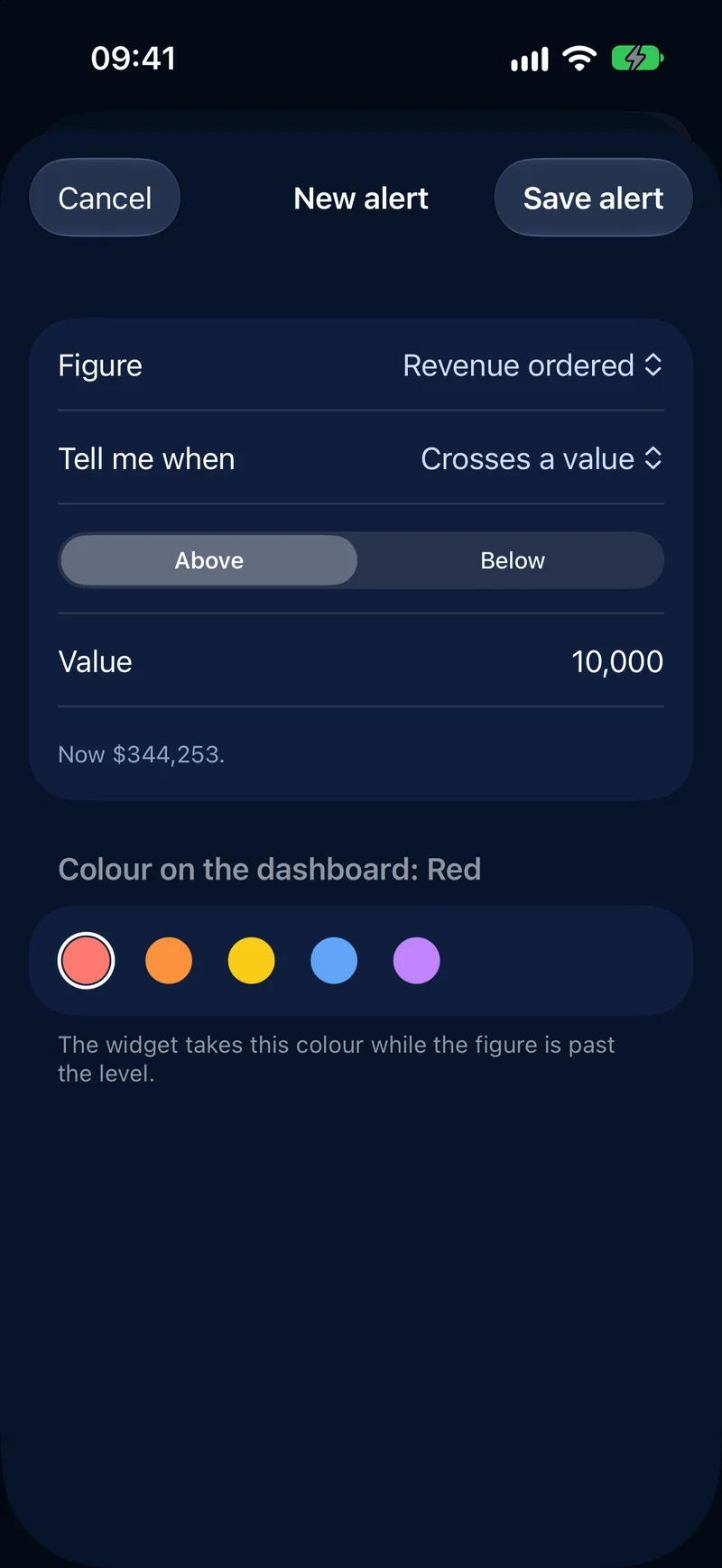
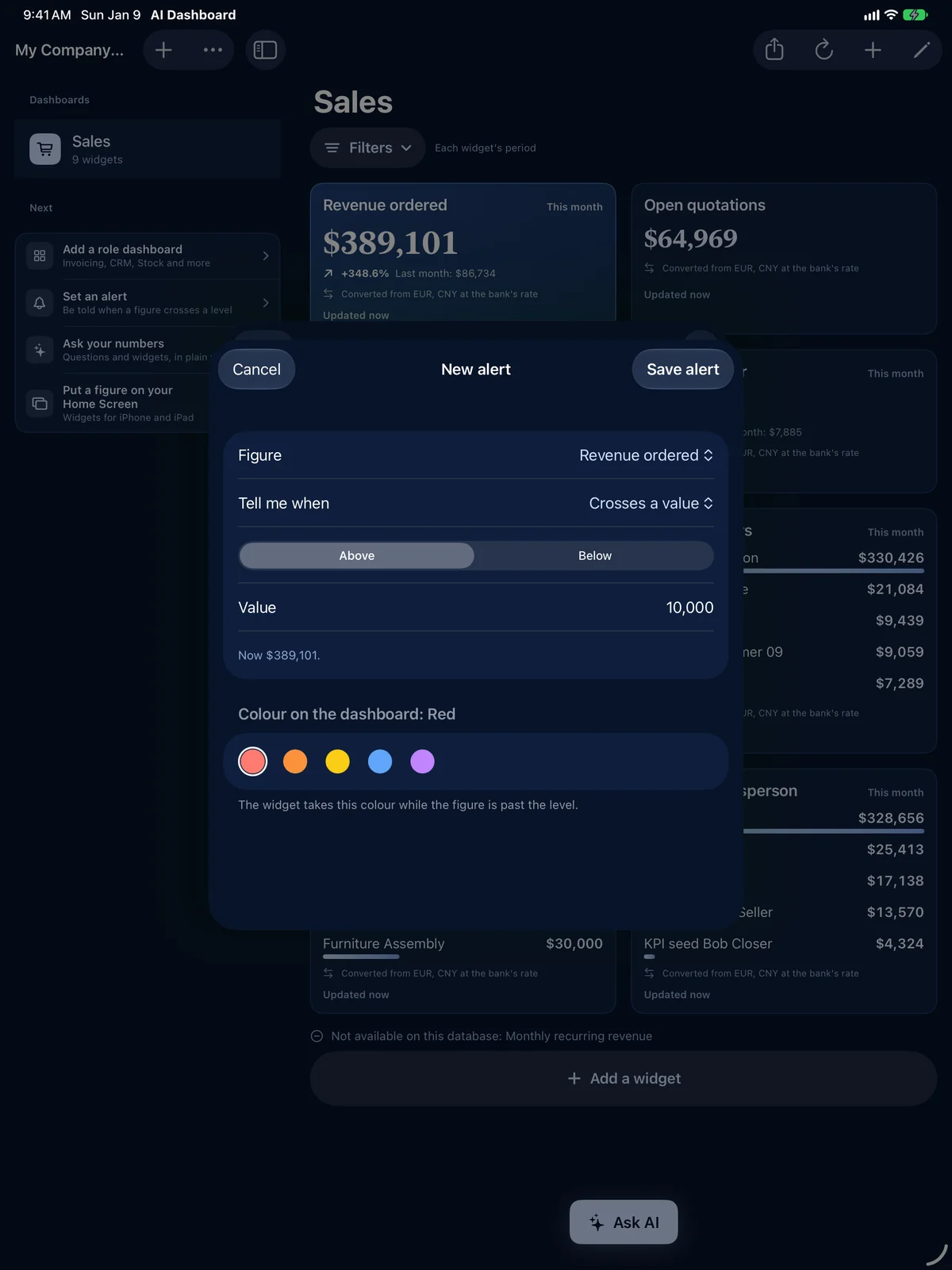
Set an alert on any figure: above or below a threshold, a change of more than a set percent, a new record that matches your filter, or a daily summary at the time you choose. Set a level and pick a colour (red by default, or orange, yellow, blue, purple): the chart changes colour when the figure goes past it.
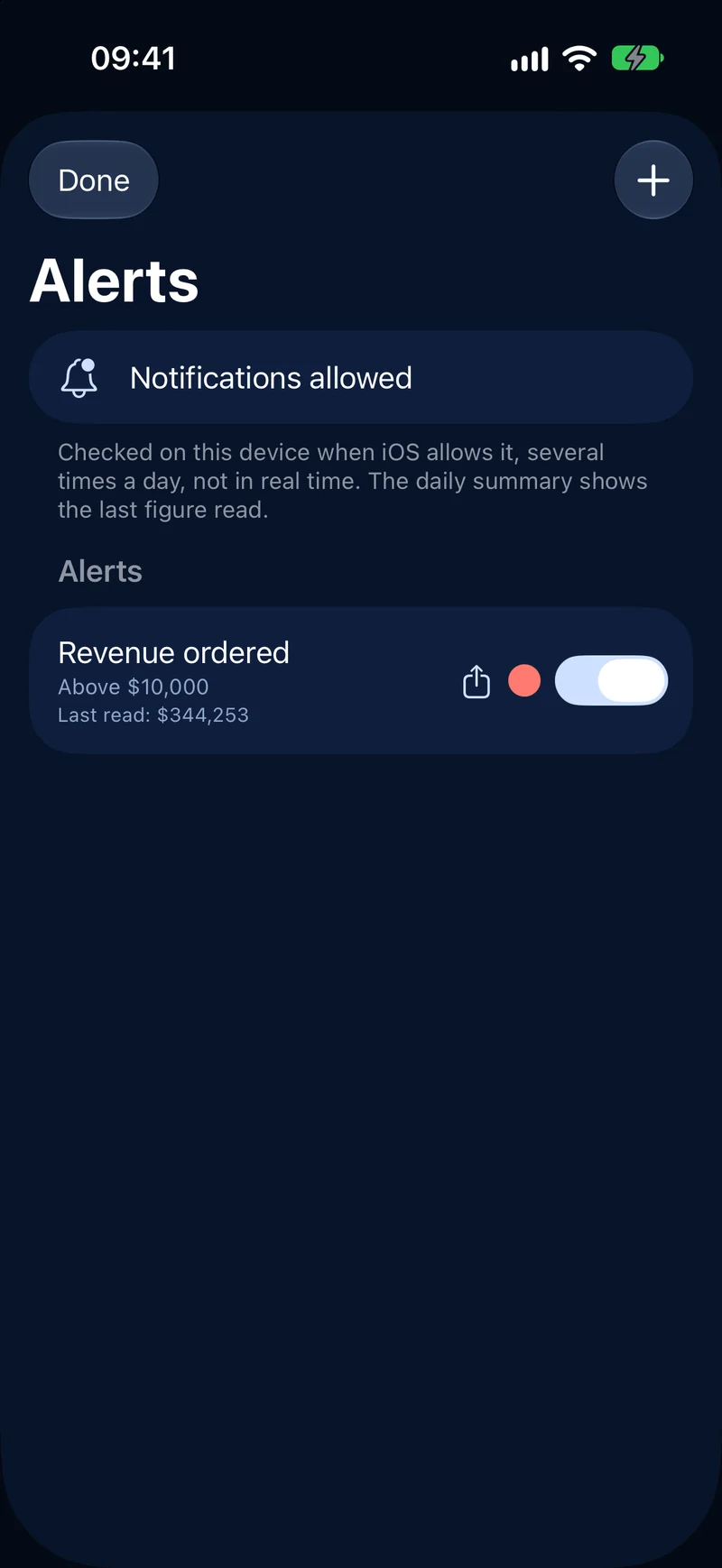
-
Ask your numbers Pro + AI
Ask in plain words
Open the AI chat on a dashboard and ask about its figures: "What changed most this month?", "Which customers pay late?". Claude answers only from the figures on your screen, key numbers first. Questions and widget requests share the 150 a month of Pro + AI.
And the essentials
Widgets everywhere
Home Screen and Lock Screen on iPhone and iPad. Desktop widgets on the Mac, coming soon.
Siri and Shortcuts Pro
"Get a KPI" in one sentence.
Several databases Pro
Several companies or a test database, one tap apart.
Share with your team Pro
An alert or the Monday report, in one tap.
Custom widget builder Pro
Build the figure you need from any Odoo object.
PDF report Pro
A dashboard as a PDF or an image.
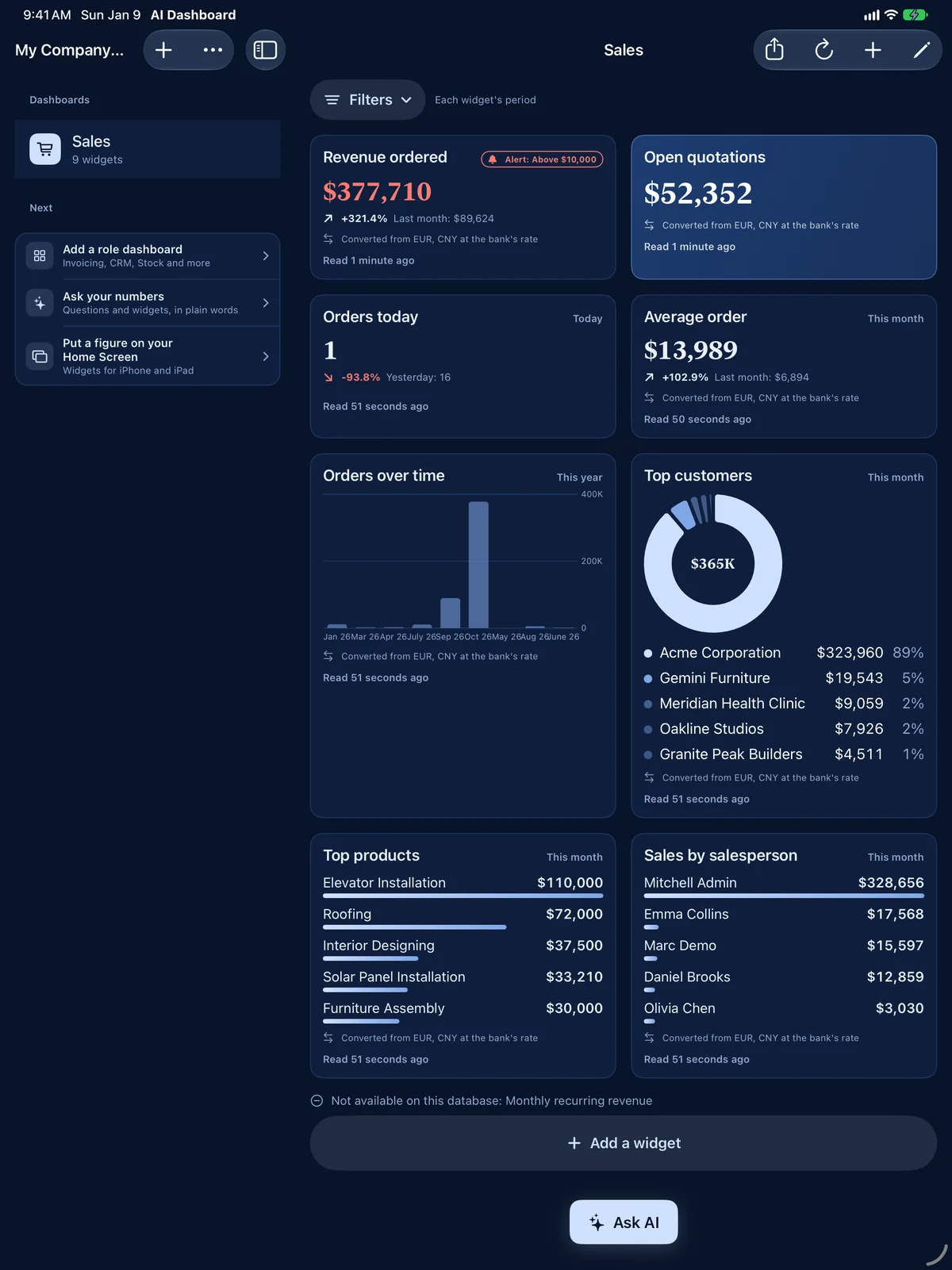
iPad
iPad
Room to see everything
A sidebar of dashboards, a grid of widgets, drill-downs and alerts as sheets.
Plans
Pick the plan that fits
One subscription works on iPhone and iPad, and on the Mac when it arrives.
| Feature | Free | Pro | Pro + AI |
|---|---|---|---|
| Included in Free | |||
| Dashboard for your role, every widget of that role | 1 dashboard | Unlimited | Unlimited |
| Drill-down, filters, open in Odoo | |||
| Face ID lock, last-year comparison, receivables by age | |||
| Odoo databases | 1 | Several | Several |
| Home Screen and Lock Screen widgets (Mac desktop widgets coming soon) | 1 widget | All | All |
| Pro adds | |||
| Alerts and daily summary | Not included | ||
| Share alerts and the Monday report | Not included | ||
| Custom widget builder, PDF report, Siri and Shortcuts | Not included | ||
| Targets with a progress bar | Not included | ||
| Pro + AI adds | |||
| AI chat on your dashboards | Not included | Not included | 150 questions a month |
| Widgets built by the AI on request | Not included | Not included | Yes, counts as a question |
| Morning AI summary and saved questions | Not included | Not included | |
| Price | Free download | 4.99 USD a month or 39.99 USD a year | 9.99 USD a month or 89.99 USD a year |
Subscriptions renew automatically and can be cancelled at any time in your Apple Account settings. Prices in your local currency on the App Store.
Privacy
Read only, private by design
The app reads your data through Odoo's standard external API: nothing to install on your server. It never changes your business data. Your API key stays in the Keychain of your device, there is no account and no analytics.
What you need
Odoo 16 or later
- Odoo 16 or later, Community or Enterprise
- On Odoo.sh, on your own server, or on Odoo Online with the Custom plan
- A personal API key, or your login: the app asks Odoo to create the key and never stores your password
- iPhone and iPad with iOS 17 or later. Mac with macOS 14 or later: coming soon
Questions
Questions
What does the AI chat send, and to whom?
Only when you use it, and after you agree: the figures and names shown on the open dashboard and your question go through the Decodr.tech server to Anthropic, which answers with Claude. Decodr.tech's server does not store it. Anthropic keeps it for up to 30 days and does not train on it. When you ask the AI to build a widget, the names of the Odoo objects and fields you can read are sent too, never record values. Your API key, your server address and your raw records are never sent. Dashboards, widgets and alerts talk only to your own Odoo server.
Which Odoo versions and editions work?
Odoo 16 or later, Community and Enterprise, on Odoo.sh, on your own server, or on Odoo Online with the Custom plan, the plan that opens Odoo's external API.
Do I give the app my password or an API key?
Either. Paste a personal API key created in Odoo, or sign in once with your login and password: the app then asks Odoo to create your API key, and the password is never stored. The key stays in your device's Keychain. Odoo sets how long a key lasts; the app reminds you before it expires and renews it in a few taps.
Does it work offline?
The app keeps the last values it loaded, so your dashboards and widgets still show them without a connection. New figures, alerts and the AI chat need a connection to your Odoo server.
Is there a Mac version?
Coming soon: a native Mac app with desktop widgets, included in the same purchase. One subscription for iPhone, iPad and Mac.
Your numbers, one tap away.
Connect your Odoo in a minute.
iPhone and iPad now, Mac soon.
Built by Decodr.tech
We also build software for companies
Odoo development, migrations, support and native apps for Mac and iPhone.